Fastlane by PayPal (foxnetsoft.com)


Fastlane by PayPal
PayPal Fastlane guest checkout with returning-shopper recognition, stored cards and addresses on one page (FOXNETSOFT.COM)
 Buy now
 Documentation
 Another plugins
 Performance
Description
The plugin embeds the PayPal Fastlane SDK into nopCommerce as a single accordion block: customer, billing, shipping, shipping method, payment and order review on one page. A returning Fastlane shopper is recognised by e-mail and checks out with the stored card and address.
One PayPal REST app is enough: Client ID, Client secret and the root domain of your store. You choose Authorize or Authorize and capture, and you can charge in the customer’s order currency or in the primary store currency.
Addresses, shipping rates, pickup points, taxes, discounts, gift cards and reward points are calculated by nopCommerce, so the totals the shopper approves are the totals of the order. The card fields are PayPal’s own component and the shopper never leaves your site. Capture, Refund, Partial refund and Void work from the admin order page, and a PayPal webhook keeps the payment status of the order in sync when something changes outside the store. Recurring payments are not supported.
How it works
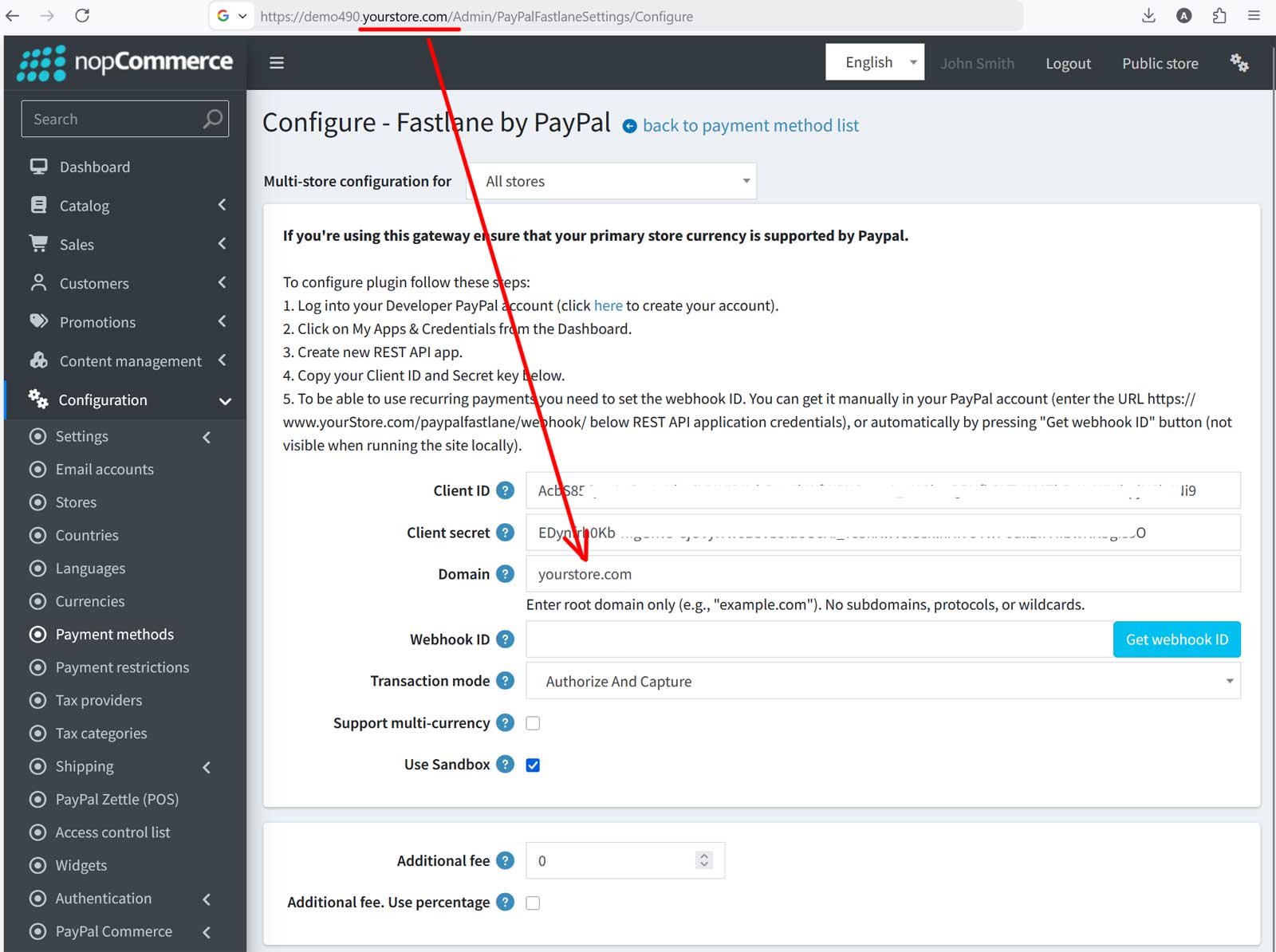
1Log into your PayPal developer account, choose Sandbox or Live, open ‘Apps & Credentials’ and press ‘Create App’. Sandbox and Live have different credentials, so you can test first.
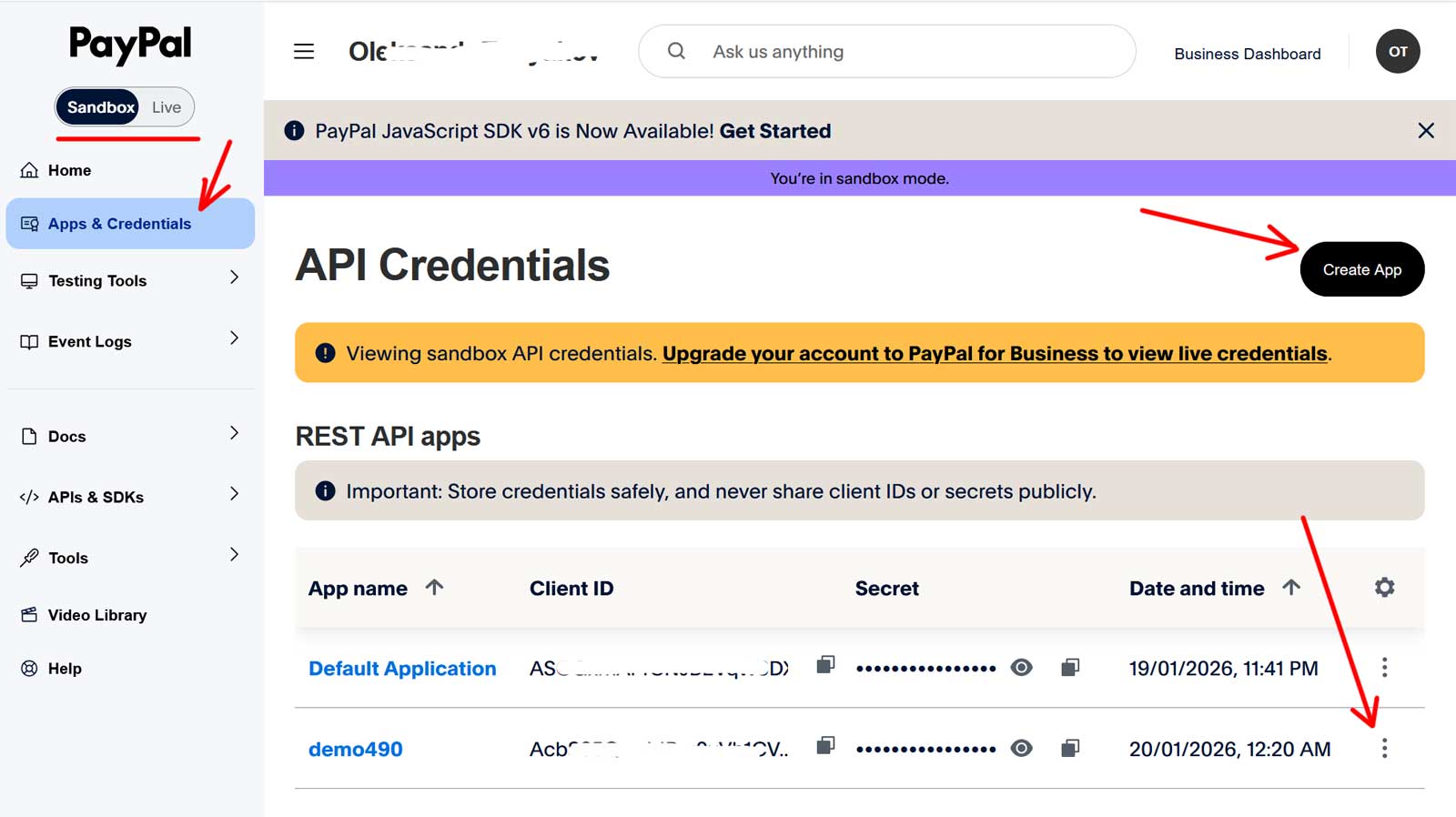
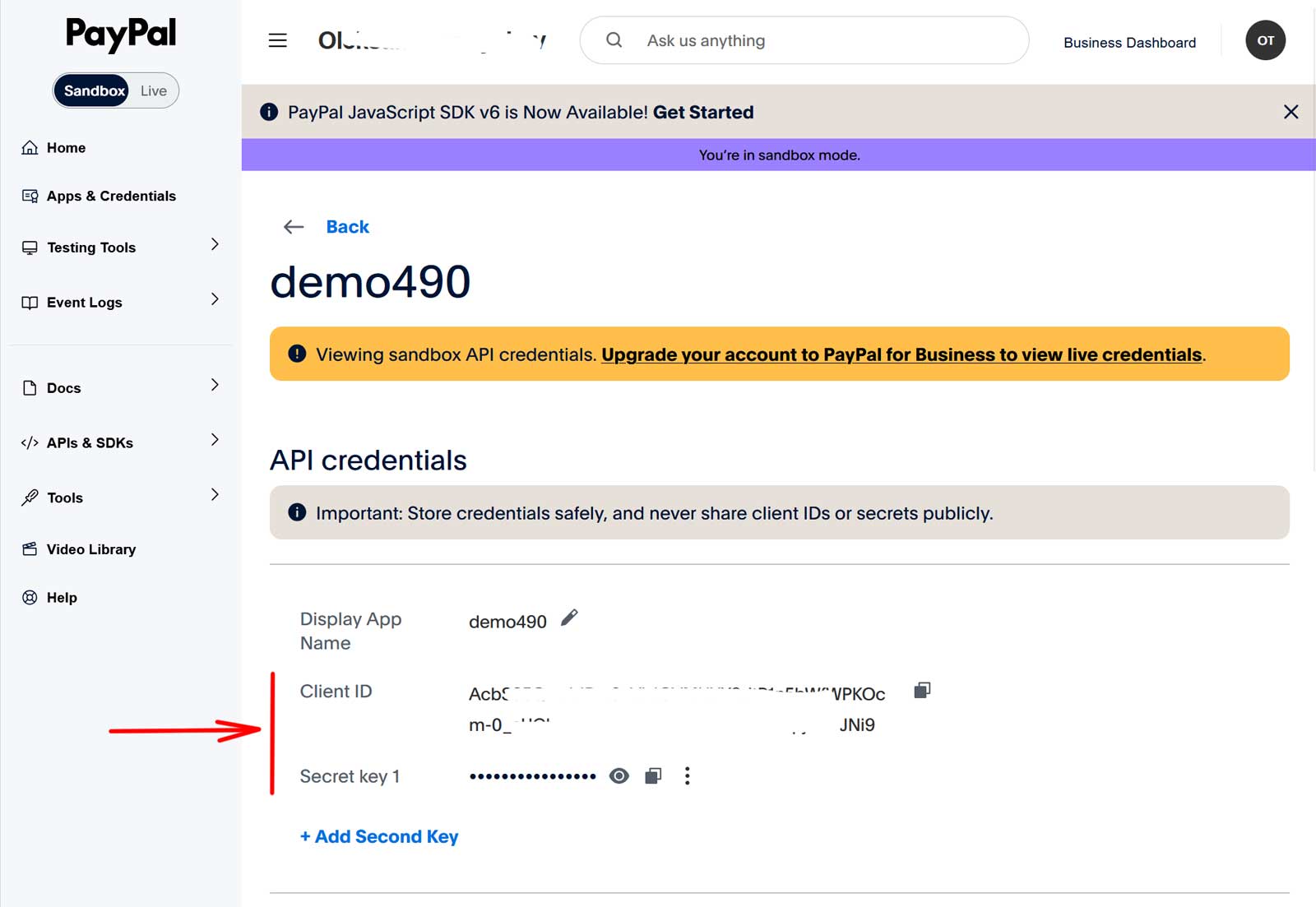
2Open the app and copy the Client ID and the secret key.
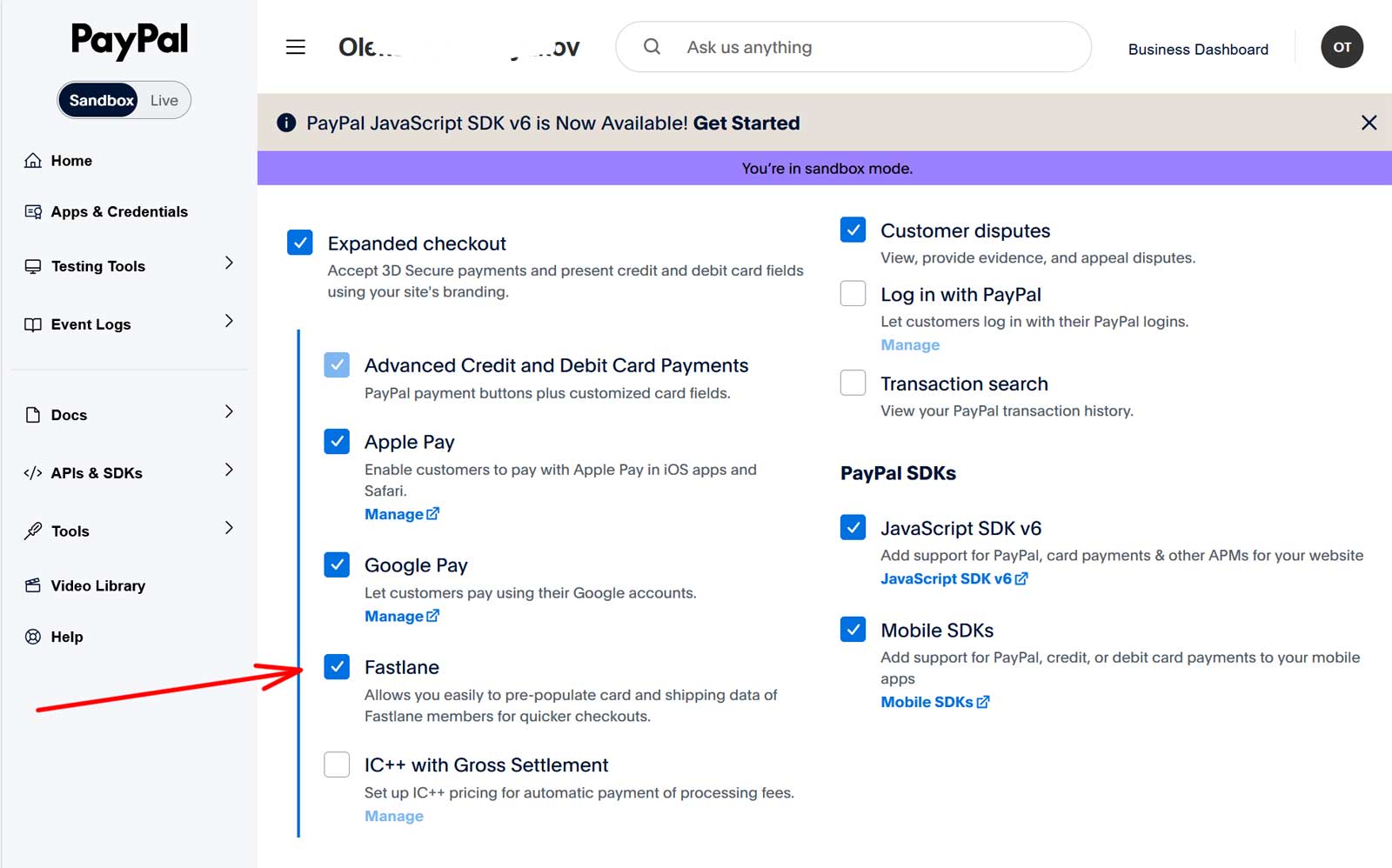
3In the settings of the same app enable Fastlane, under ‘Expanded checkout’.
4Paste the credentials into the configure page, press ‘Get webhook ID’ on your live https URL and choose the transaction mode, multi-currency and sandbox settings. An optional additional fee can be fixed or a percentage of the order total.
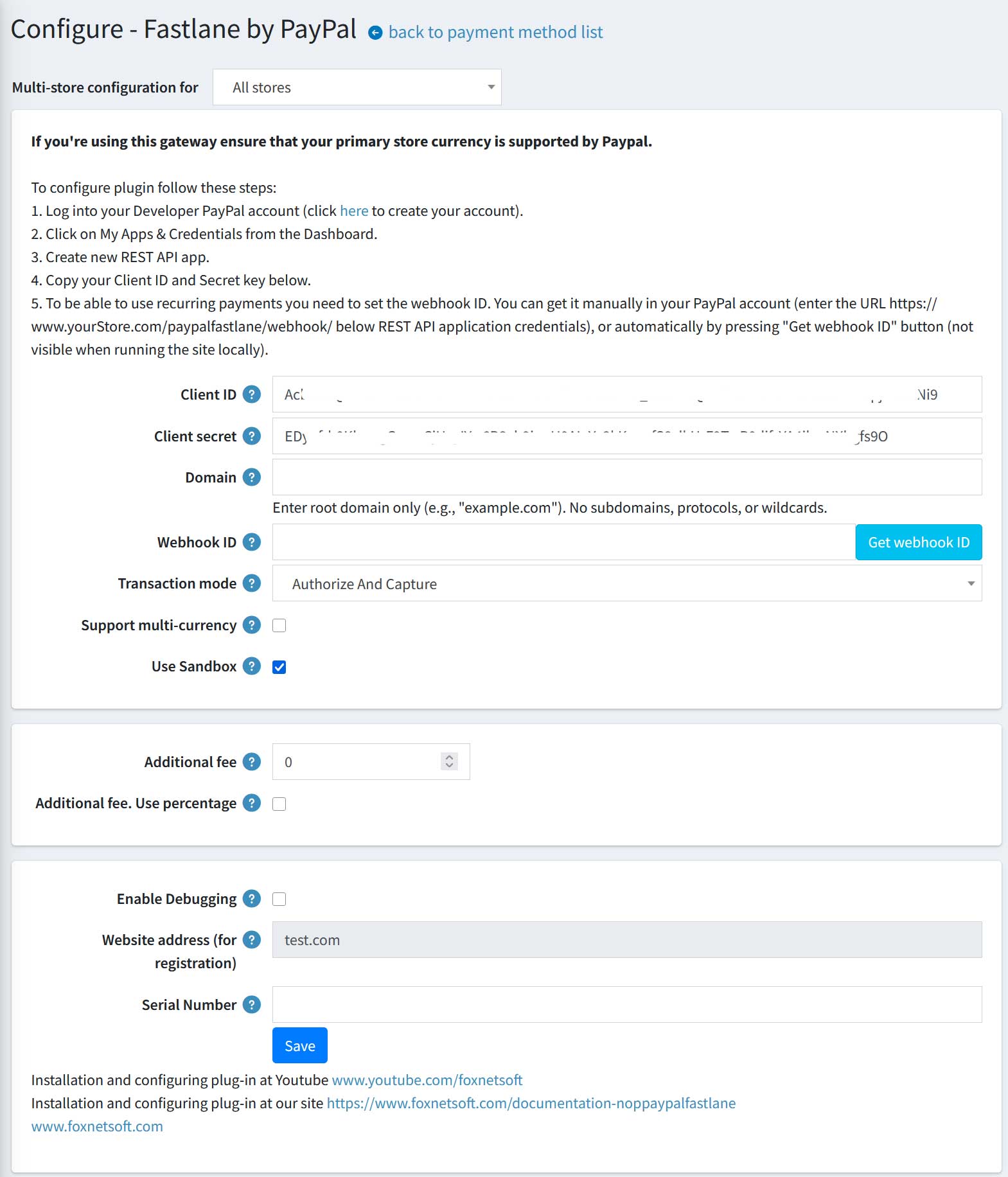
5Enter the root domain of your store, without the subdomain. For demo490.yourstore.com it is yourstore.com.
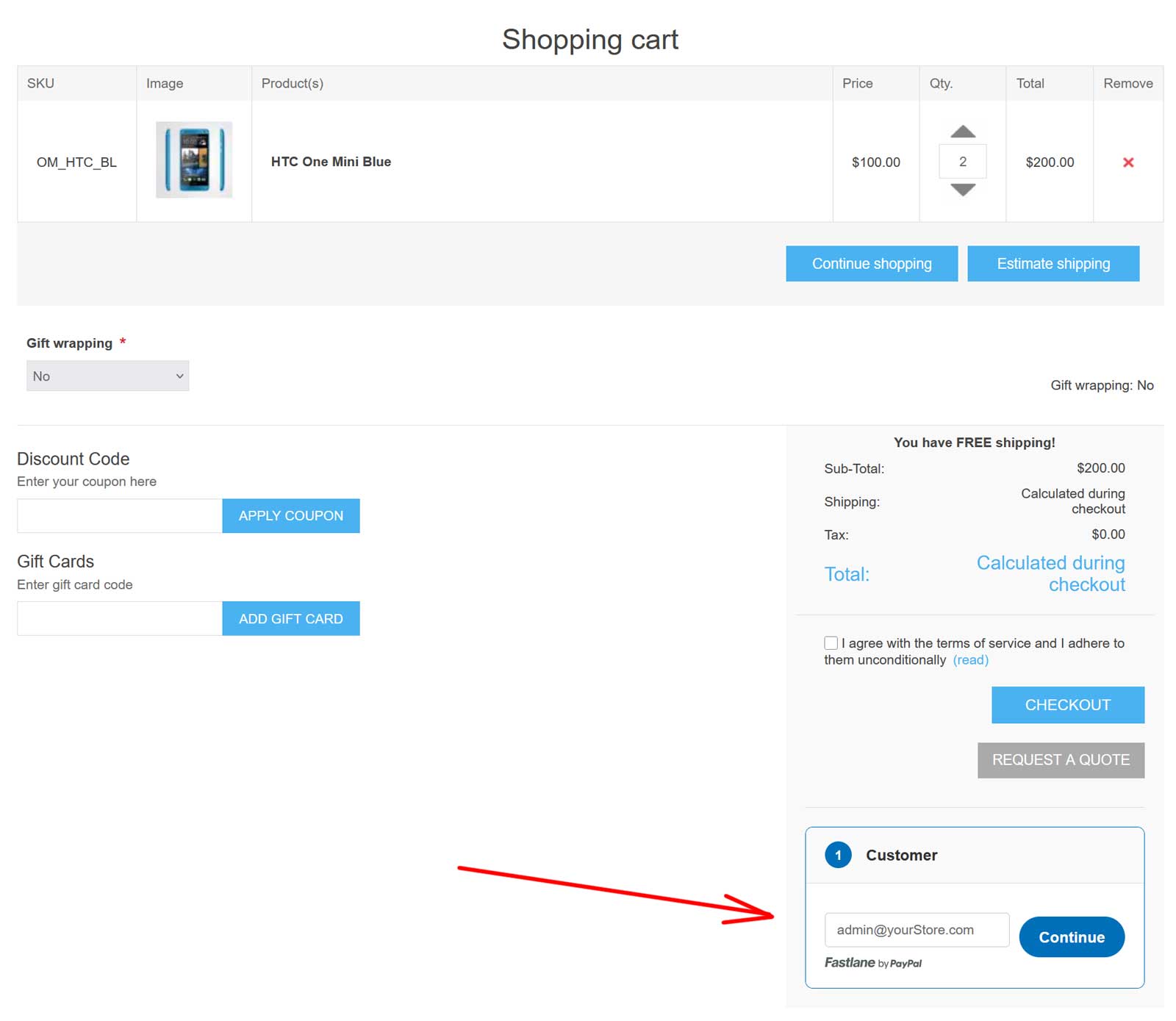
6This is what the shopper sees. The block sits on the shopping cart page, under the ‘Checkout’ button. It starts with the e-mail, next to the Fastlane mark.
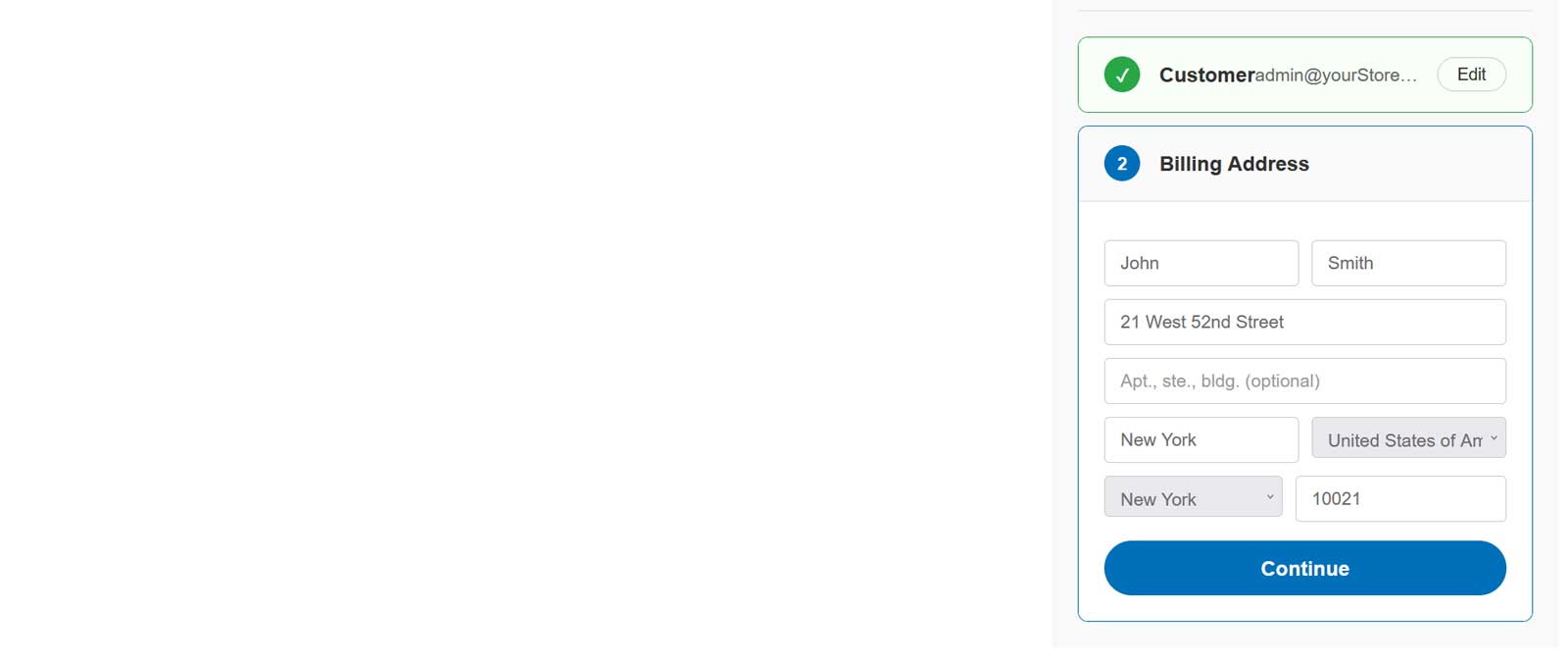
7A new shopper fills in the billing address in the same block.
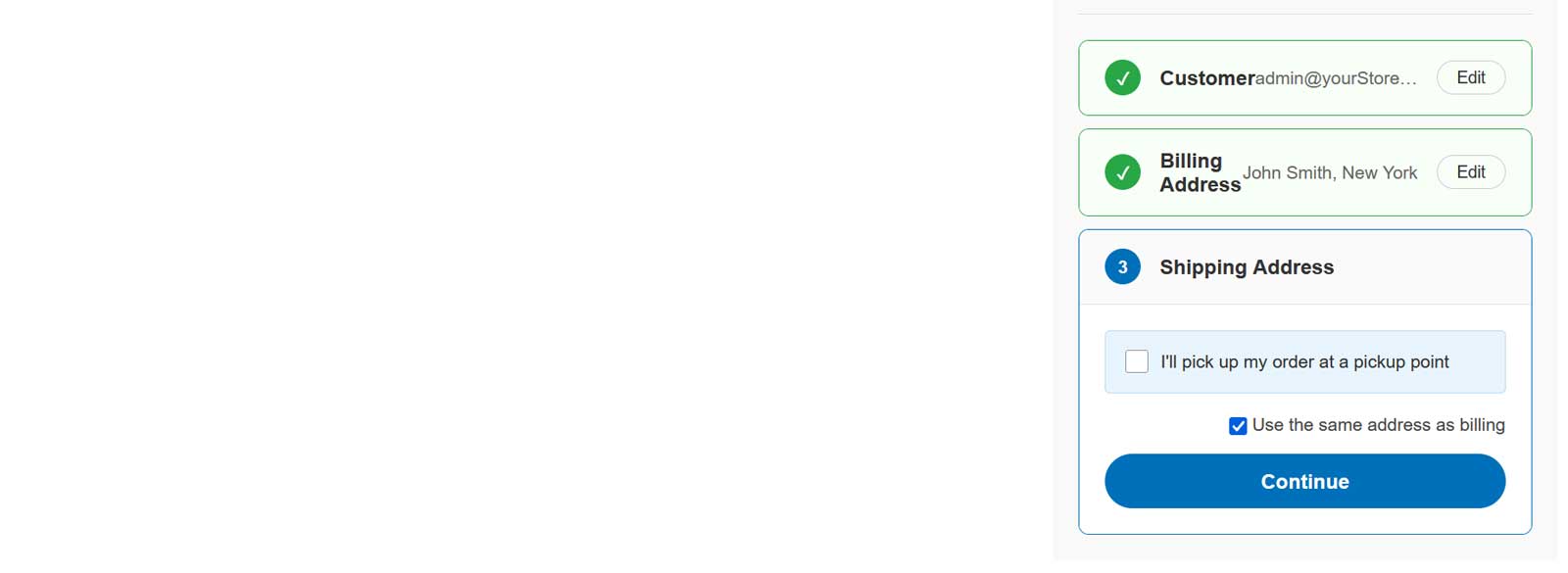
8The shipping address can be the same as billing, or the shopper can pick up the order at one of your pickup points.
9The shipping methods are the live rates of your nopCommerce shipping providers for the entered address.
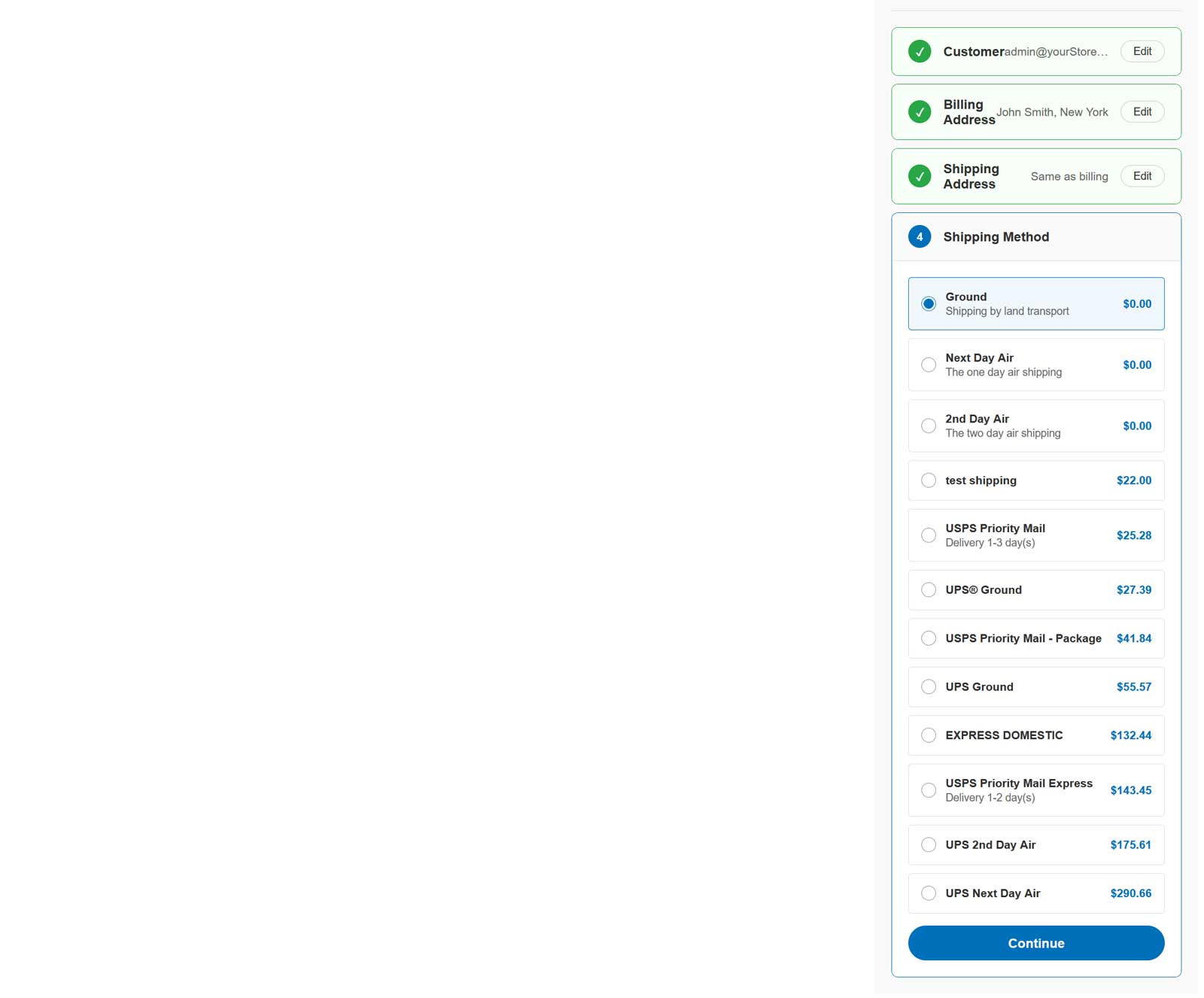
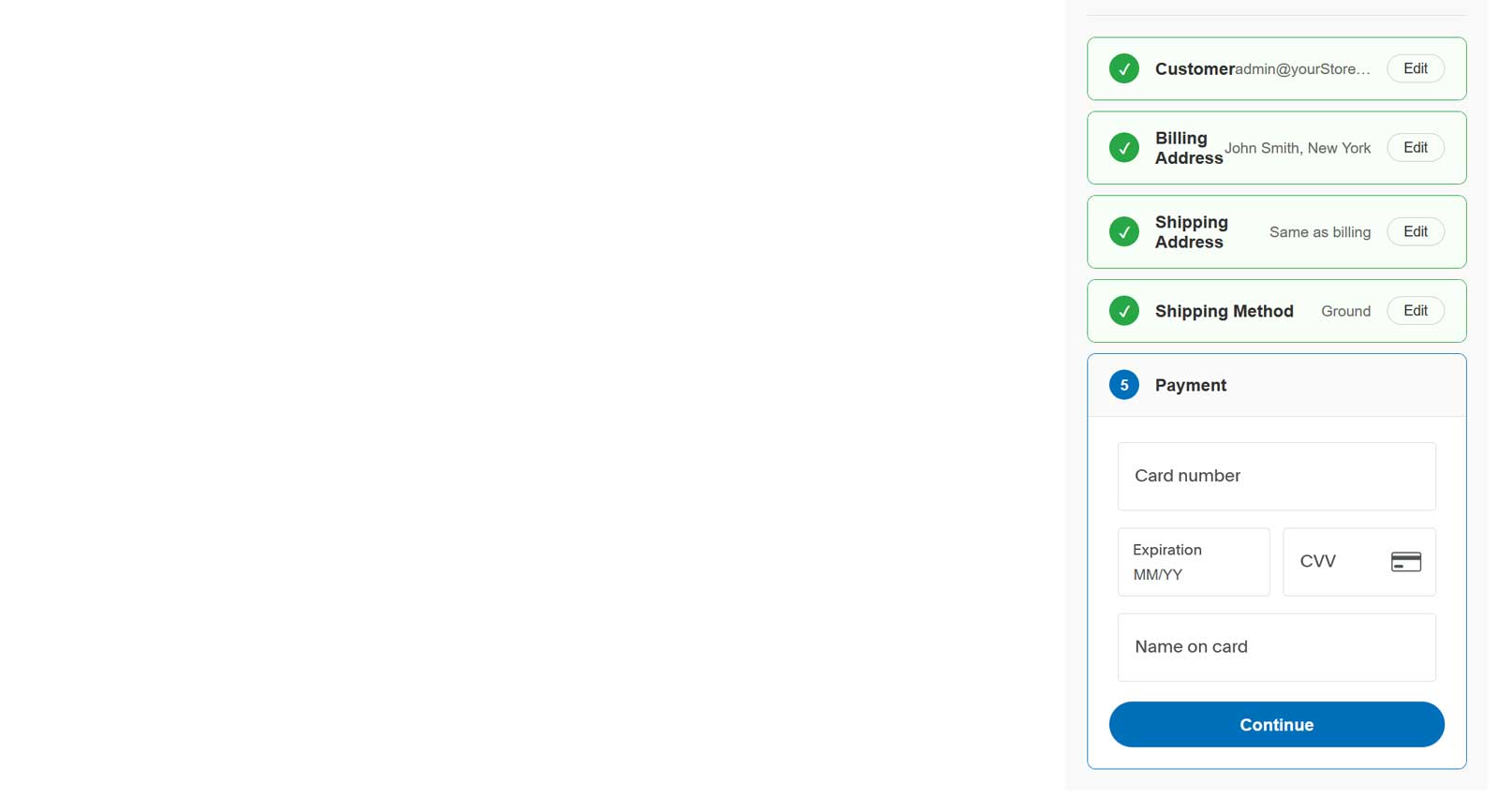
10The card fields are PayPal’s own component. A returning Fastlane shopper confirms with a code from PayPal and skips the address and card forms.
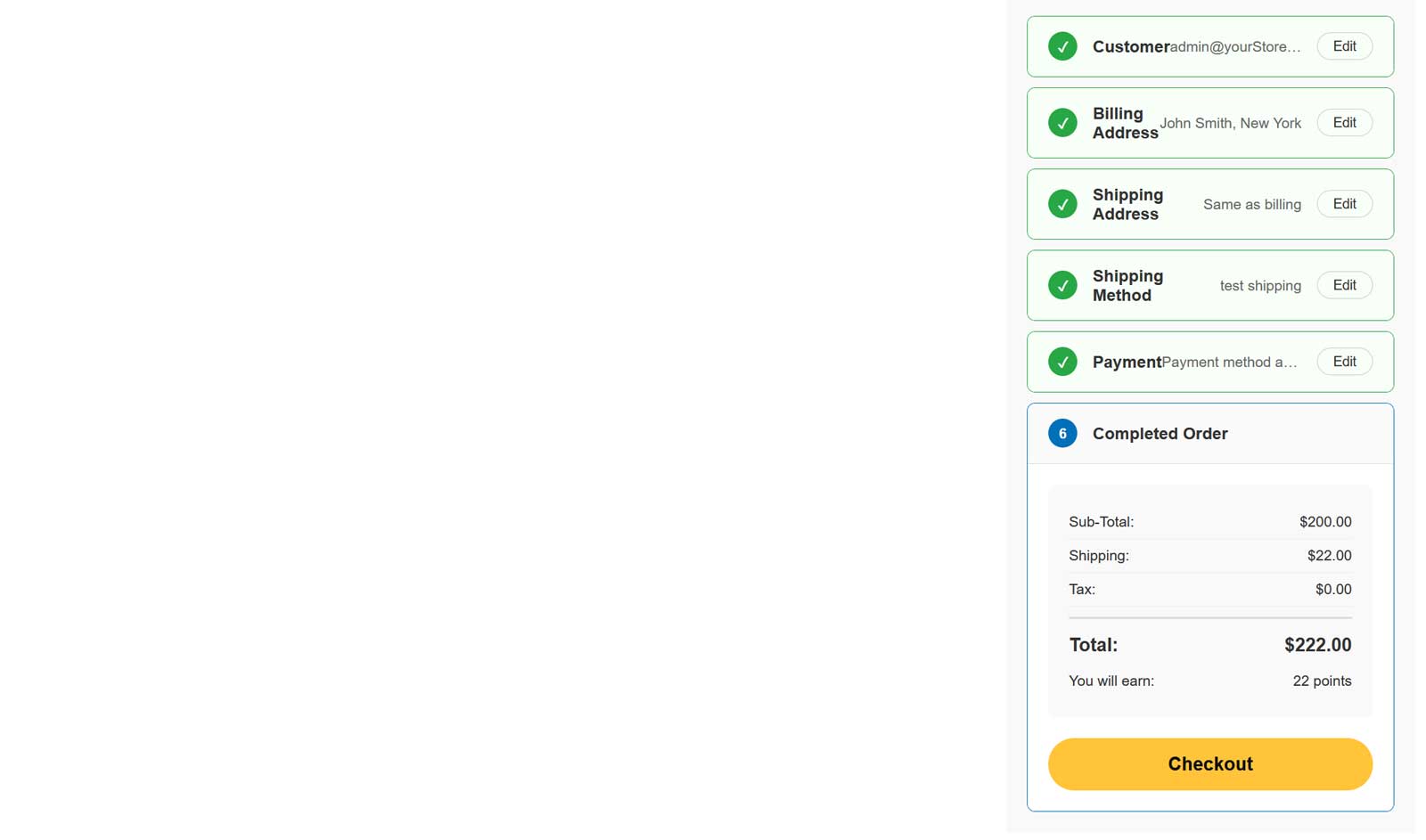
11The shopper checks the totals and presses ‘Checkout’. The order is placed without leaving the page, then you capture, refund or void it from the admin order page.
Features
- PayPal Fastlane checkout as one accordion block on the page
- Returning Fastlane shoppers recognised by e-mail
- Stored card and shipping address filled in after the PayPal code
- PayPal card fields for new shoppers, without leaving the site
- Live shipping rates from your nopCommerce shipping providers
- Pickup in store with opening hours and pickup fee
- Totals with discounts, tax, gift cards and reward points
- Authorize or Authorize and capture
- Capture, Refund, Partial refund and Void from the admin order page
- PayPal webhook keeps the payment status of the order in sync
- Supports multiple currencies and multi-stores
- Optional additional fee, fixed or percentage
Specification
 Supported nopCommerce 5.00, 4.90
 Fully localizable using extermal XML files
 Multi-store support
 Free Trial (30 days trial period)
 1 year free support and upgrades since purchase date
 Performance optimization
 Easy setup and customization
 Fast support
About US

We did more than 190 plugins for nopcommerce. Check out portfolio.