PayPal Braintree Hosted Fields (foxnetsoft)
PayPal Braintree Hosted Fields
Credit and debit cards, PayPal, Pay Later, Venmo, Google Pay and Apple Pay with 3D Secure 2 and saved cards (FOXNETSOFT.COM)
 Buy now
 Documentation
 Another plugins
 Performance
Description
The plugin lets your customers pay with PayPal Braintree right on the checkout page of your nopCommerce store, without being redirected to another site. The card number, expiration date and CVV are typed into Braintree Hosted Fields, so your server receives only a single-use payment nonce and never the card itself.
Six payment methods in one block: credit and debit cards, PayPal, PayPal Pay Later / PayPal Credit, Venmo, Google Pay and Apple Pay. You decide which buttons are shown, and each of them appears only when the browser or the device of the customer supports it.
Choose ‘Authorize’ to hold the money and capture it later from the order page, or ‘Authorize and capture’ to take it at once; voids and full or partial refunds are made from the same page. 3D Secure 2 verifies new and saved cards for SCA / PSD2 before the order is placed, customers can save their cards and PayPal accounts in the Braintree Vault, and recurring products are billed through Braintree subscriptions, with the next recurring order created by webhook. Multi-currency merchant accounts, Advanced Fraud Tools, Level 2 and 3 processing and dynamic descriptors are supported, and every setting can be overridden per store.
The plugin replaces our PayPal Braintree Drop-in plugin. PayPal deprecates the Braintree Drop-in on October 1, 2026 and ends its support on October 1, 2027.
How it works
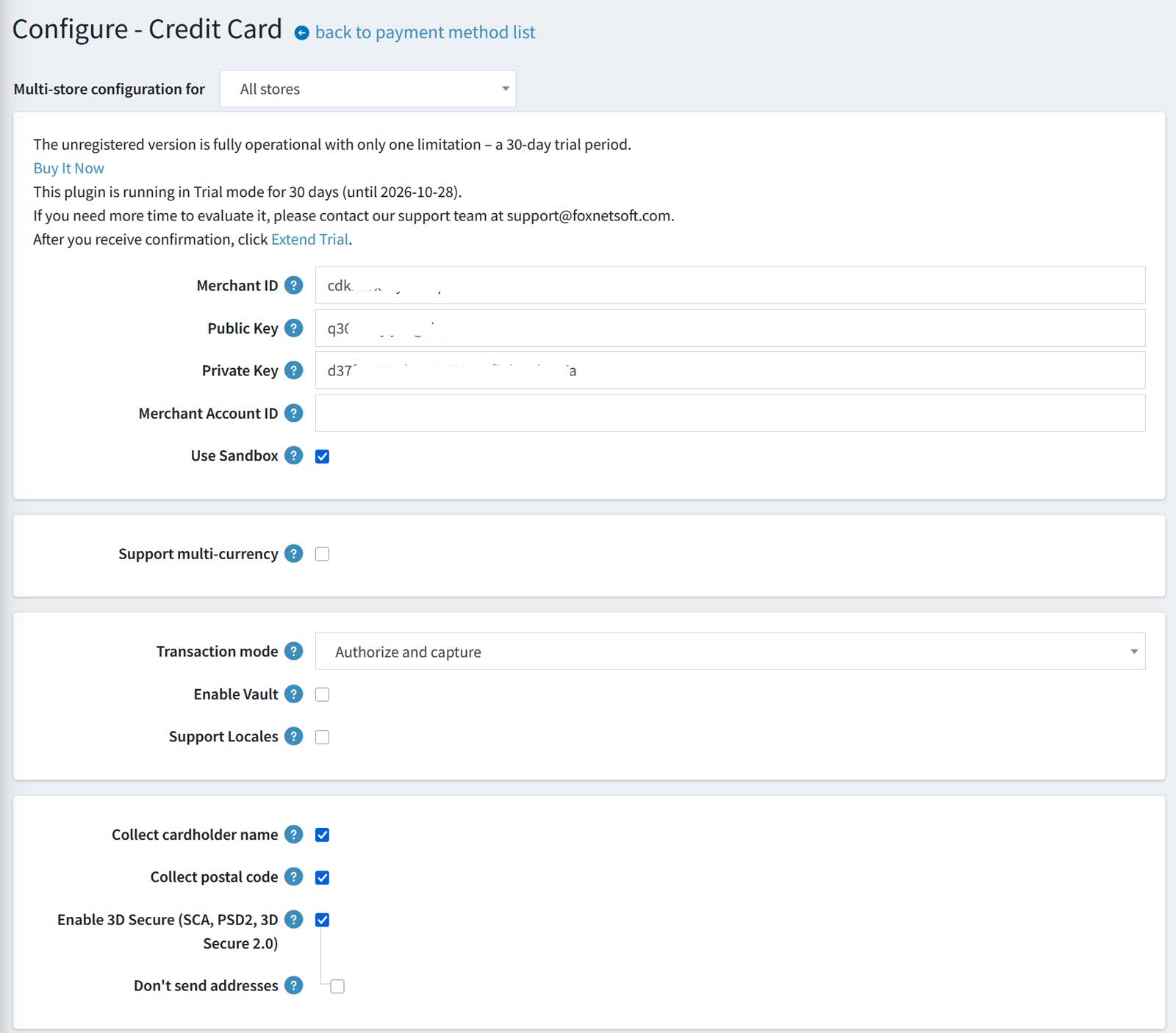
1Copy the Merchant ID, Public Key and Private Key from the API Keys page of the Braintree Control Panel, and keep ‘Use Sandbox’ on while you test. Choose the transaction mode, turn on the Vault for saved cards and enable 3D Secure 2, so new and saved cards are verified before the order is placed. ‘Support multi-currency’ charges in the currency of the customer, with one Merchant Account ID per currency.
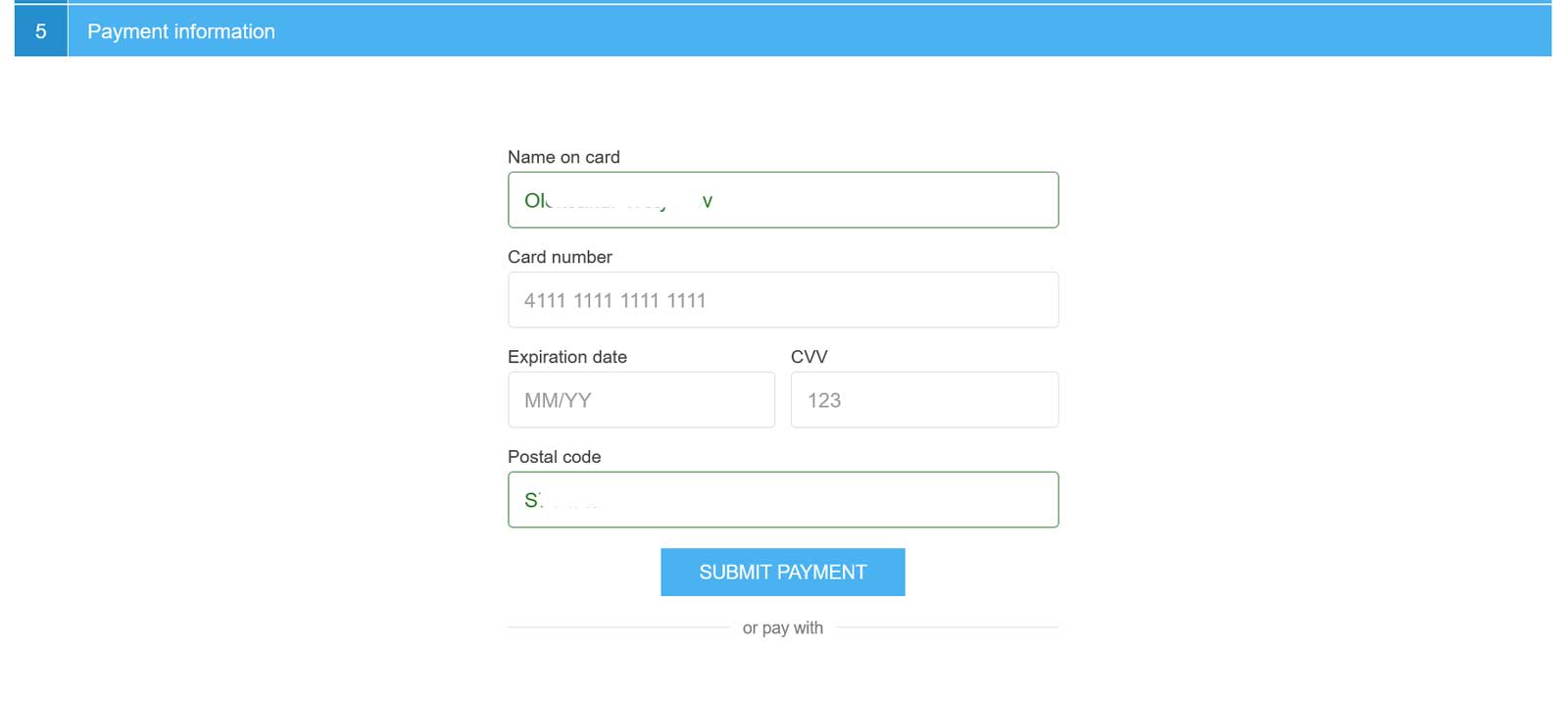
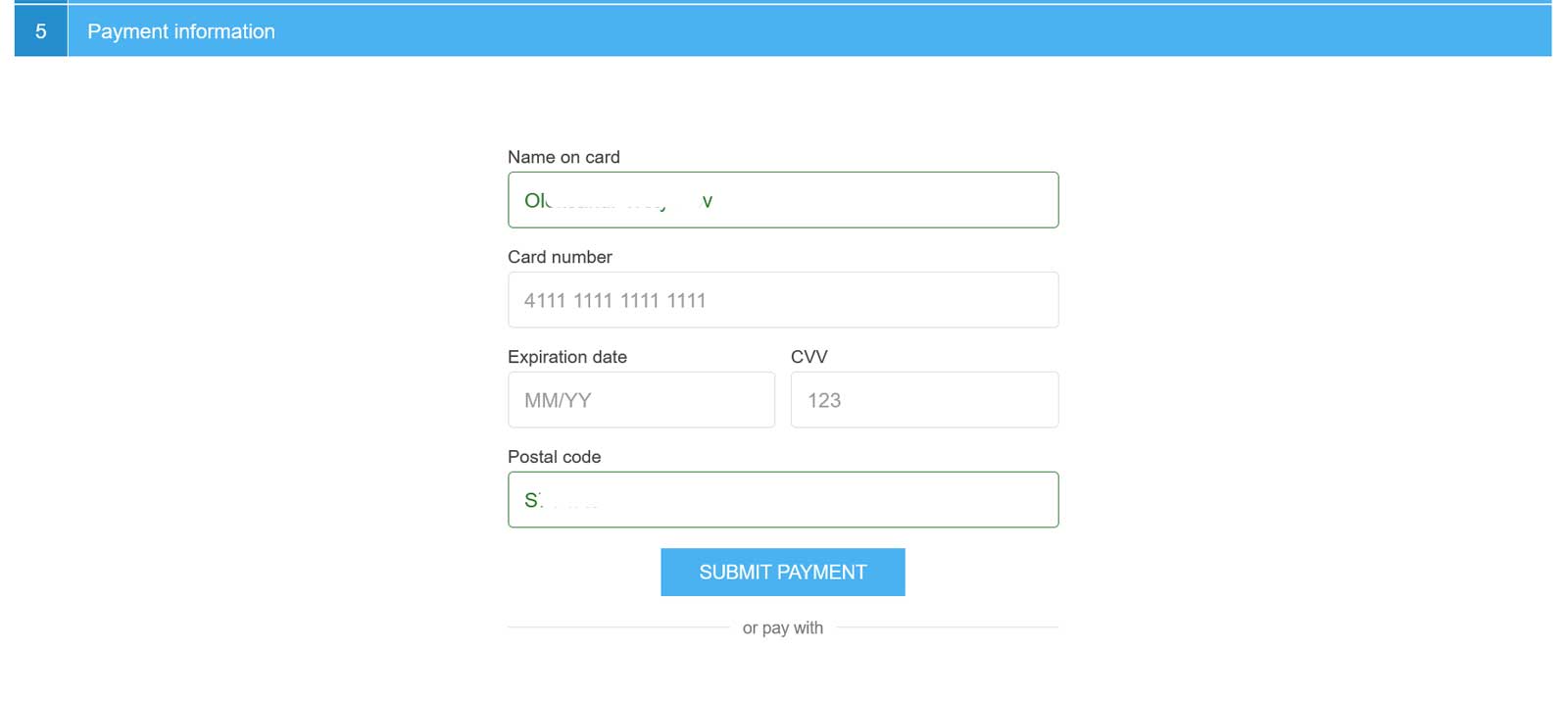
2This is the card form on the payment step of the checkout. The card number, expiration date and CVV are Braintree Hosted Fields, so the card data goes straight to Braintree; the name on card and the postal code are prefilled from the billing address. The wallet buttons you enable appear under ‘or pay with’.
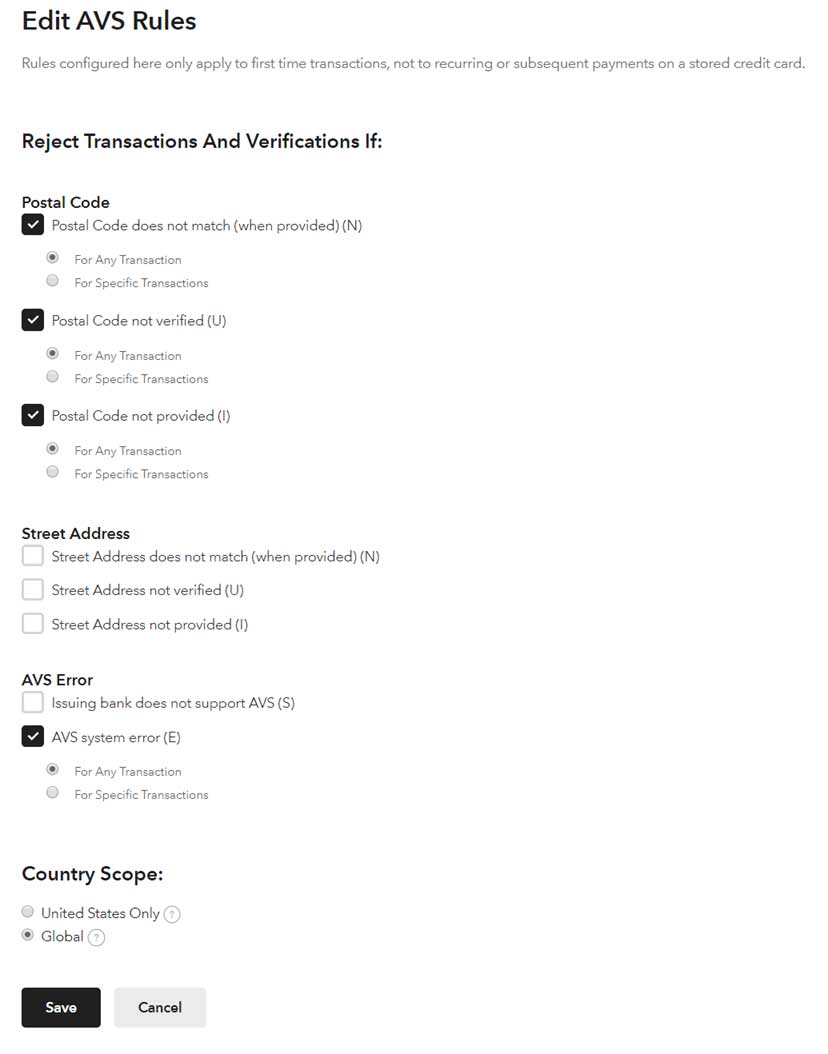
3Using AVS? In the Braintree Control Panel (Edit AVS Rules) keep the Postal Code rules and switch off the Street Address checks. The card form asks for the postal code, so leave ‘Collect postal code’ on in the plugin.
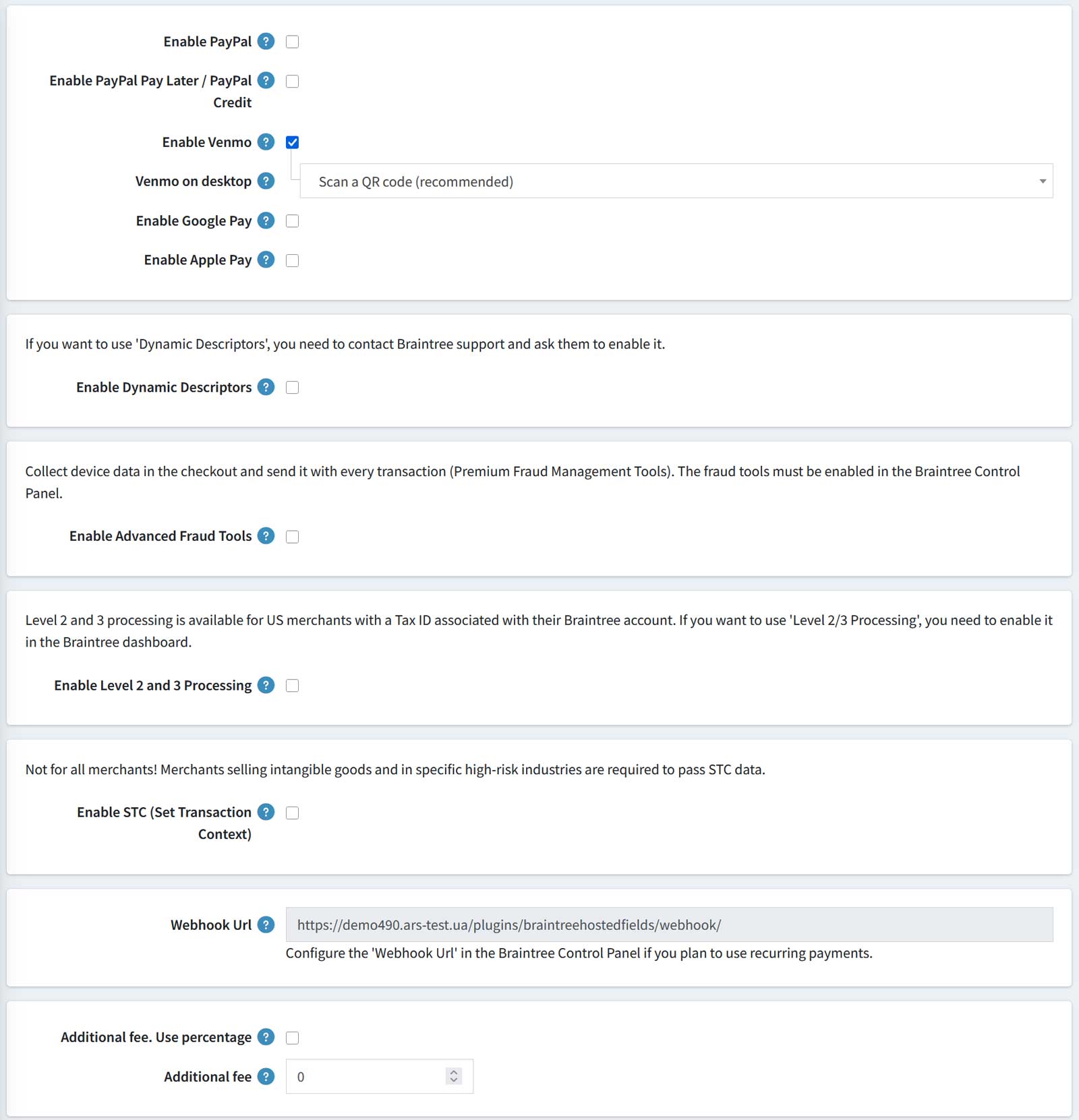
4Switch on the buttons under the card form: PayPal, PayPal Pay Later / PayPal Credit, Venmo, Google Pay and Apple Pay. The same page holds dynamic descriptors, Advanced Fraud Tools, Level 2 and 3 processing, STC risk data, an additional fee and the Webhook URL for recurring payments.
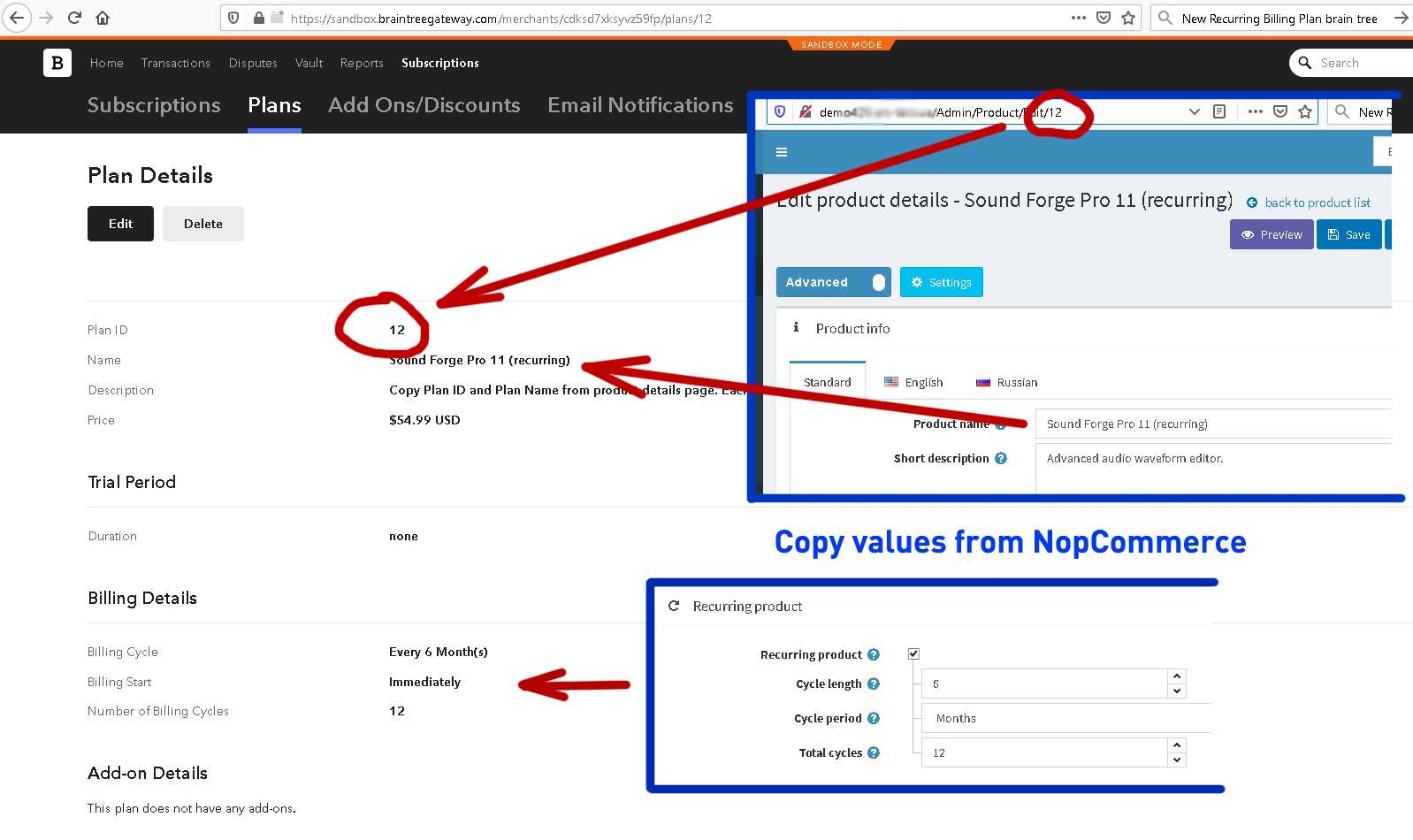
5For recurring products, create a plan in the Braintree Control Panel with the nopCommerce product ID as the Plan ID and the same price and billing cycle, then paste the Webhook URL into the Braintree Webhooks page. Braintree charges every next payment, and the plugin creates the next recurring order in nopCommerce.
Features
- Card form in Braintree Hosted Fields: card data never reaches your server
- PayPal, PayPal Pay Later / PayPal Credit, Venmo, Google Pay and Apple Pay buttons
- 3D Secure 2 (SCA, PSD2) for new and saved cards
- Saved cards and PayPal accounts in the Braintree Vault
- Authorize or authorize and capture; capture, refund and void from the order page
- Recurring payments through Braintree subscriptions and webhooks
- Multi-currency with a Braintree merchant account per currency
- Advanced Fraud Tools, STC risk data and Level 2 and 3 processing
- Dynamic descriptors on the card statement of the customer
- Works with the standard, one page and FoxNetSoft Simple Checkout
- Additional fee as a fixed amount or a percentage of the order total
- Sandbox mode and a downloadable debug log for testing
Specification
 Supported nopCommerce 5.00, 4.90, 4.80, 4.70, 4.60, 4.50
 Fully localizable using extermal XML files
 Multi-store support
 Free Trial (30 days trial period)
 1 year free support and upgrades since purchase date
 Performance optimization
 Easy setup and customization
 Fast support
About US

We did more than 190 plugins for nopcommerce. Check out portfolio.
Great customer care if you have a question.
Could you help me so that I can do the tests? if it meets our needs, request the purchase by the company I work for.
It is our recommendation that if replacing the Nopcommerce Braintree plugin with this one to first uninstall and fully remove the Nopcommerce plugin prior to installing and activating the Foxnetsoft plugin, otherwise an error may be experienced. We did not follow these steps and experienced an error. Foxnetsoft was very prompt in helping us resolve. 10/10, strongly recommend.
Definitely recommend these guys plugins and support.