Hi all Nop experts,
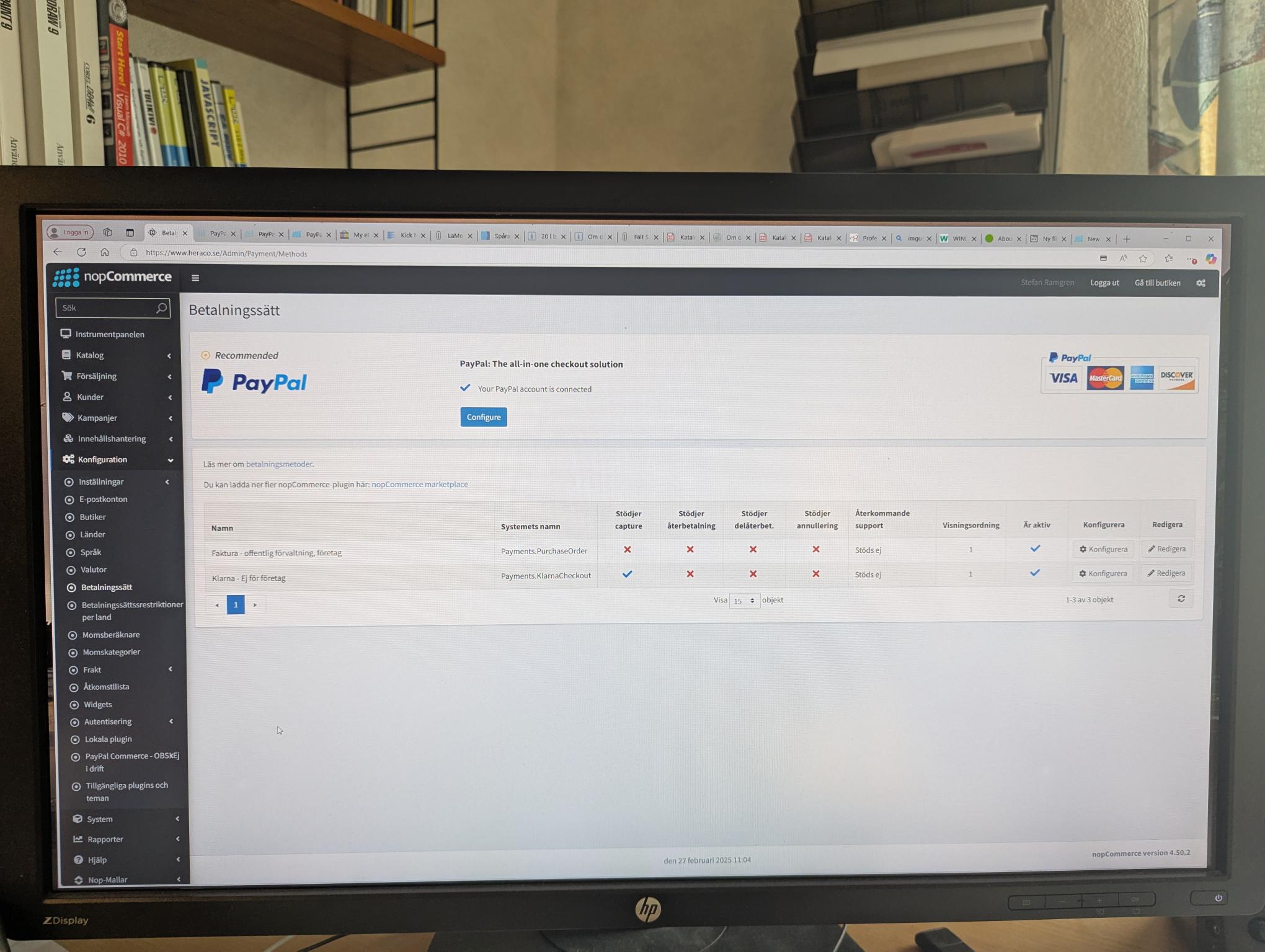
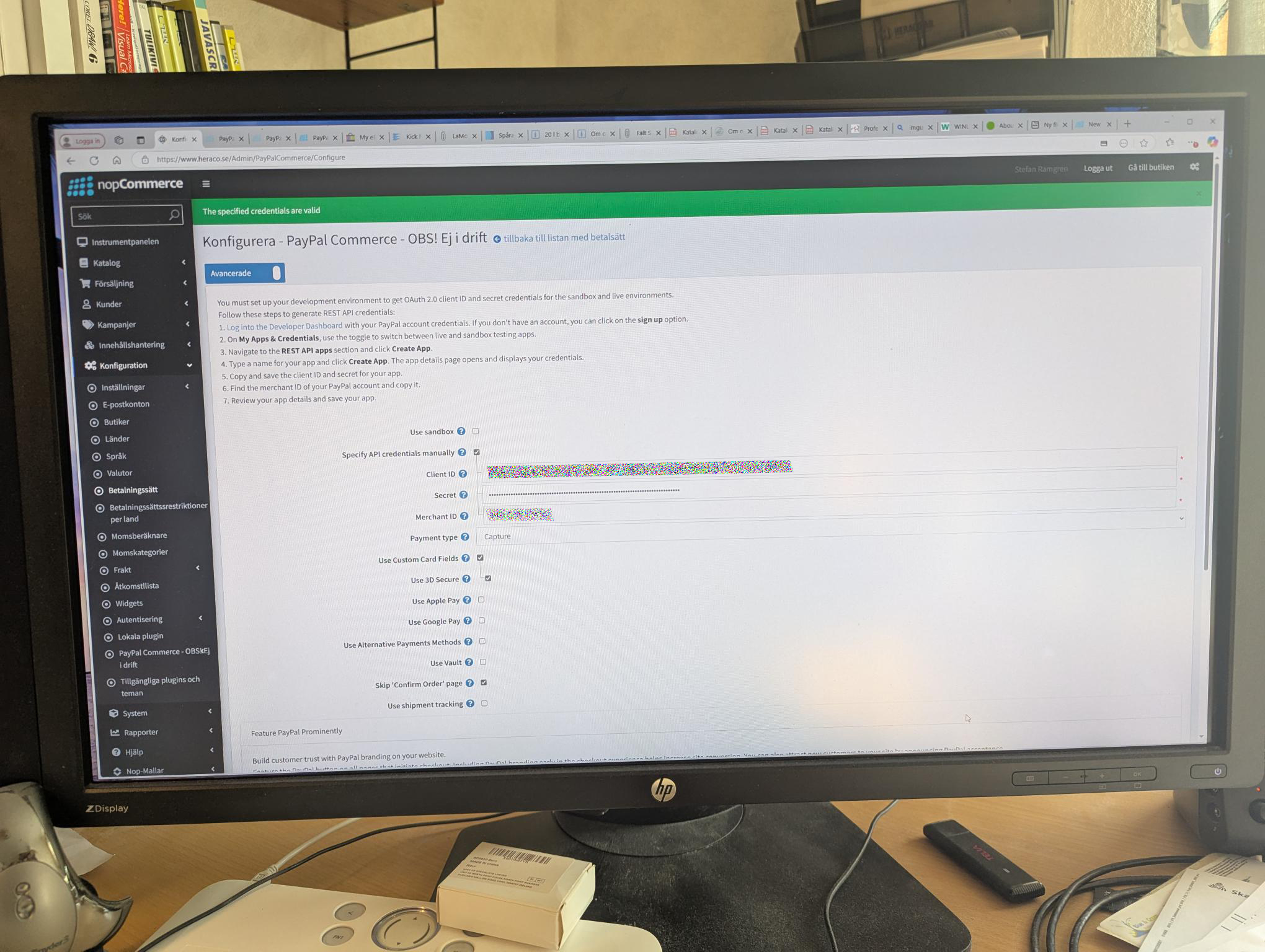
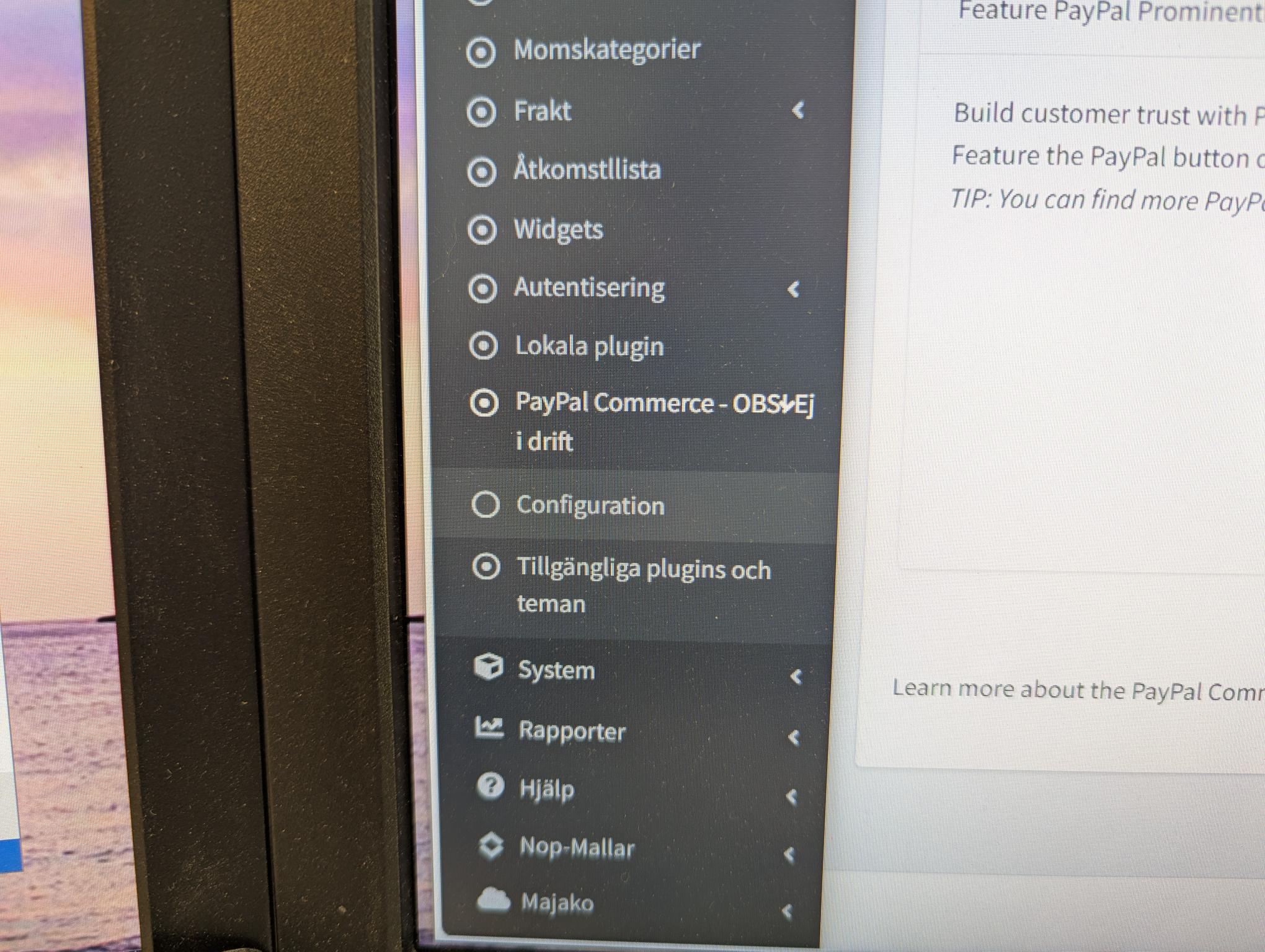
I have installed the latest version of PayPal Commerce but the plugin is not completely installed. I don´t get it in the list in Payment methods, se picture 1. Picture 2 show the configuration of PayPal commerce and I think it is ok. I have done 1 card payment and it look ok when I log in to my PayPal account. Picture 3 show the configuration menu in the admin and the Pay Later is missing. No sandbox activated in my paypal account
Any idea what I have missing.
Best regards
Stefan Ramgren
Sweden
1https://www.heraco.se/images/uploaded/Nopproblem/1.jpg
2https://www.heraco.se/images/uploaded/Nopproblem/2.jpg
3https://www.heraco.se/images/uploaded/Nopproblem/3.jpg
Nopcommerce 4.50.3 + PayPal Commerce 1.10.10


团队成员
- 1071
- 11326
- 2016/1/11
Your plugin configuration looks ok.
Since you set the credetials manually, there was no check of your account capabilities (e.g. Pay Later feature support), so you need to set PayPalCommerceSettings.ConfiguratorSupported setting to True yourself (on All Settings page in the admin area) to activate Pay Later feature. But note, this feature is available in some countries only ("US", "AU", "DE", "ES", "FR", "GB", "IT").
Since you set the credetials manually, there was no check of your account capabilities (e.g. Pay Later feature support), so you need to set PayPalCommerceSettings.ConfiguratorSupported setting to True yourself (on All Settings page in the admin area) to activate Pay Later feature. But note, this feature is available in some countries only ("US", "AU", "DE", "ES", "FR", "GB", "IT").

- 4
- 20
- 2018/10/15
- Sweden
Hi Atiqur,
Thank you for your suggestion. I have already tried this but I have again cleared the cache, restarted the program and also restarted the server. I have also tried Chrome instead of Edge. I have also tried this from another computer. But it is still not in the list in Payment methods
Best regards
Stefan Ramgren
Sweden
Thank you for your suggestion. I have already tried this but I have again cleared the cache, restarted the program and also restarted the server. I have also tried Chrome instead of Edge. I have also tried this from another computer. But it is still not in the list in Payment methods
Best regards
Stefan Ramgren
Sweden
- 4
- 20
- 2018/10/15
- Sweden
Hi Romanov,
Thank you for checking my configuration.
I was little confused about the Pay later. I saw some info that Pay later was available in Sweden, SE but I found no info on Paypal.se. Thanks for clarify this.
Any Idea why it will not show up in the Payment Methods list?
Best regards
Stefan Ramgren
Sweden
Thank you for checking my configuration.
I was little confused about the Pay later. I saw some info that Pay later was available in Sweden, SE but I found no info on Paypal.se. Thanks for clarify this.
Any Idea why it will not show up in the Payment Methods list?
Best regards
Stefan Ramgren
Sweden
团队成员
- 1071
- 11326
- 2016/1/11
[email protected] wrote:
Any Idea why it will not show up in the Payment Methods list?
But it's right here.
You can see it in your first picture (the big PayPal text and the Configure button).
Any Idea why it will not show up in the Payment Methods list?
But it's right here.
You can see it in your first picture (the big PayPal text and the Configure button).