PayPal Payflow Pro Direct (Credit Card) (foxnetsoft)

PayPal Payflow Pro Direct
Credit and debit card payments on your own checkout page through PayPal Payflow Pro, with capture, refund and void (FOXNETSOFT.COM)
 Buy now
 Documentation
 Another plugins
 Performance
Description
The plugin connects nopCommerce to the PayPal Payflow Pro gateway. The customer enters the credit or debit card directly on the checkout page of your store and is never redirected to another site.
One Payflow account is enough: Partner, Vendor, User and Password. You choose whether the payment only authorizes the money or authorizes and captures it at once, and you can capture, void and refund (full or partial) from the nopCommerce order page.
Every payment needs a matching card code, and the ZIP code of the billing address can be checked as well. When the gateway approves a payment that the plugin then rejects, the plugin voids the transaction automatically, so the customer is not left charged for an order that failed. You can charge in the customer’s currency, add a fixed or percentage payment fee and use different Payflow accounts per store. PayPal offers this gateway for merchants from the US, Australia, Canada and New Zealand, and the store needs an SSL certificate (HTTPS).
How it works
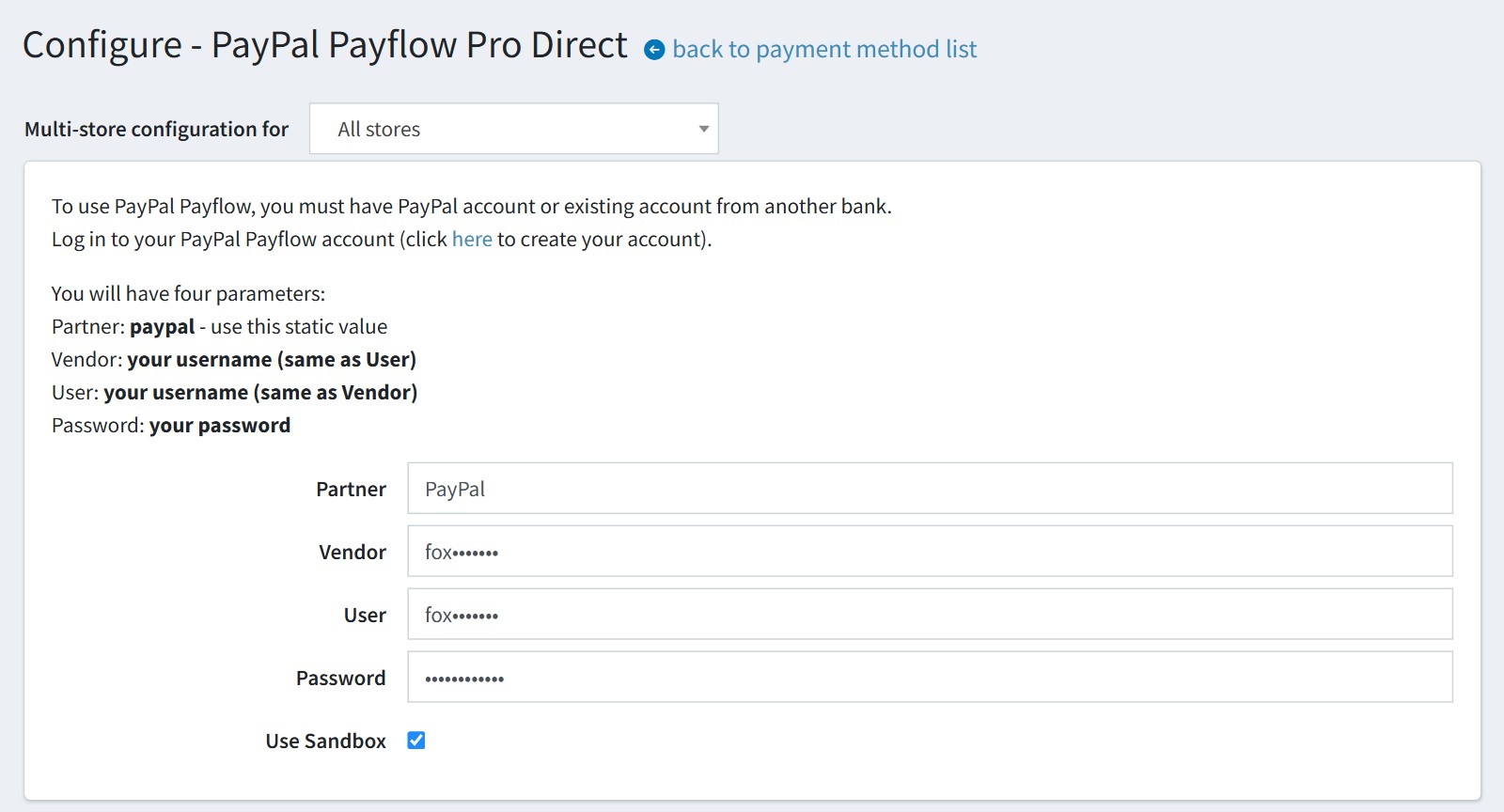
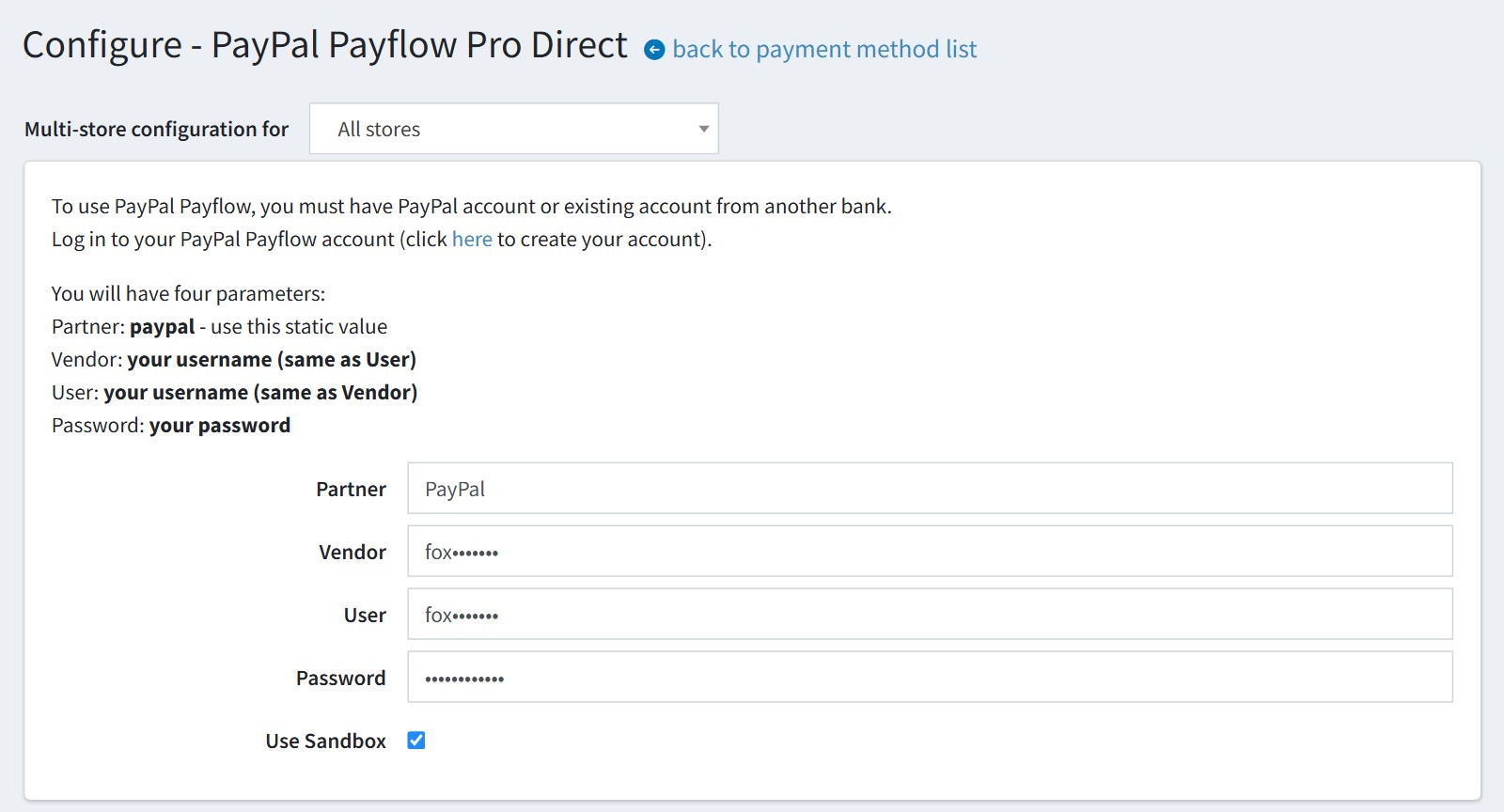
1Copy the Partner, Vendor, User and Password of your Payflow account into the configure page. Keep ‘Use Sandbox’ on while you test and switch it off before you go live.
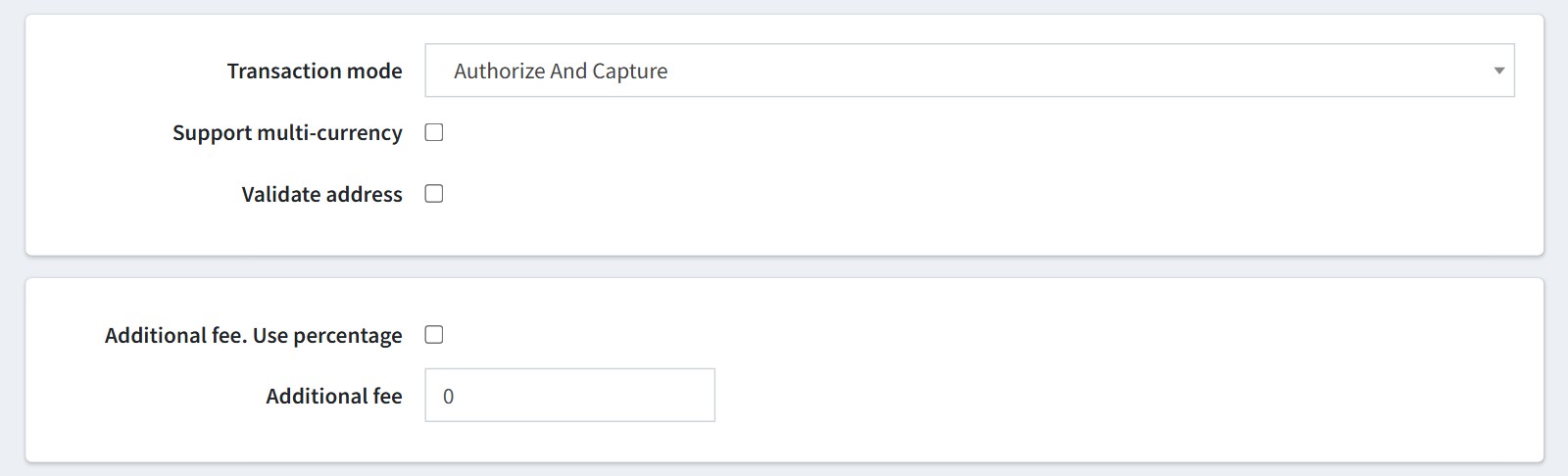
2Choose the transaction mode: ‘Authorize’ only holds the money until you capture it from the order page, ‘Authorize And Capture’ takes it at once. Then decide on multi-currency, ZIP code validation and an optional fixed or percentage fee.
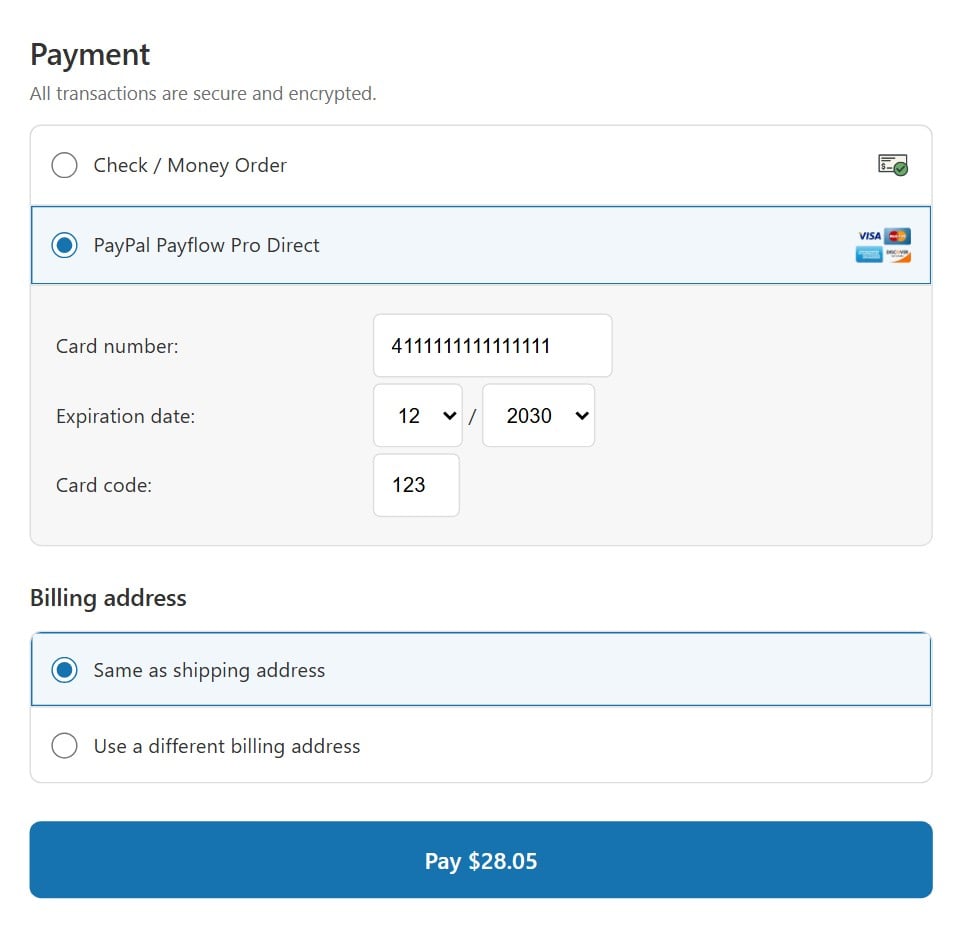
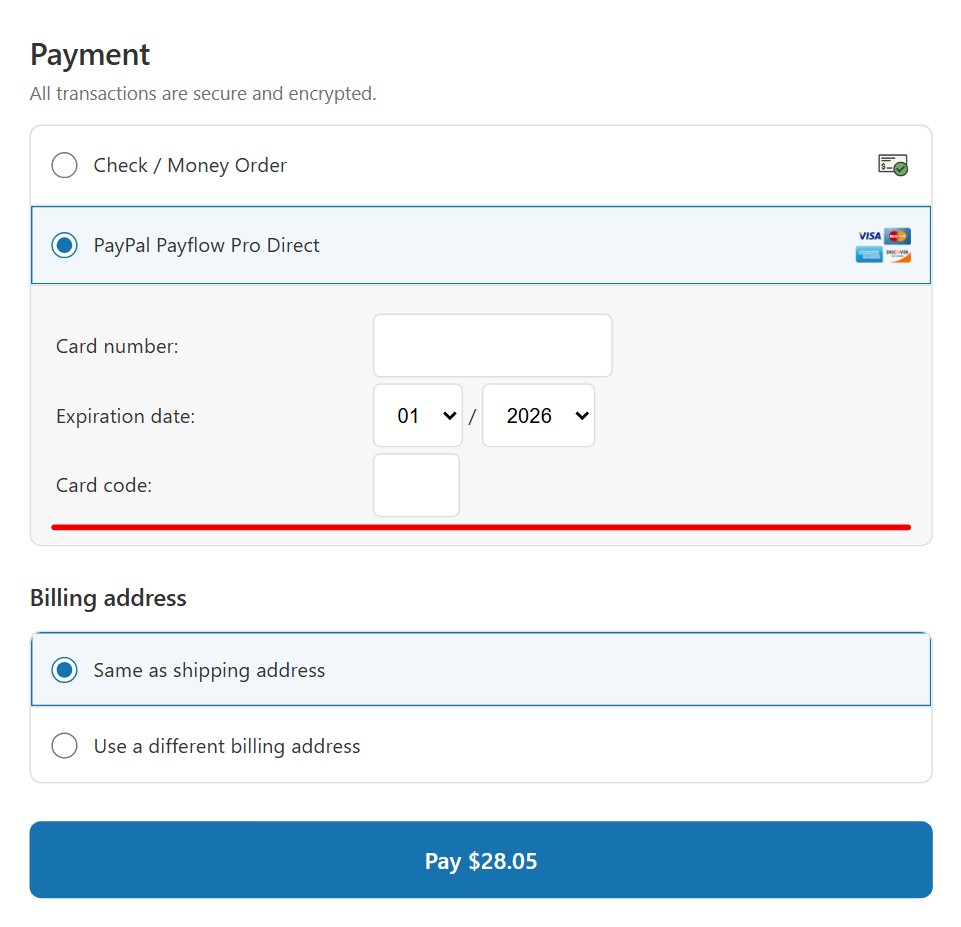
3This is the checkout. The customer selects ‘PayPal Payflow Pro Direct’ and the card form opens right in the payment section of your own page.
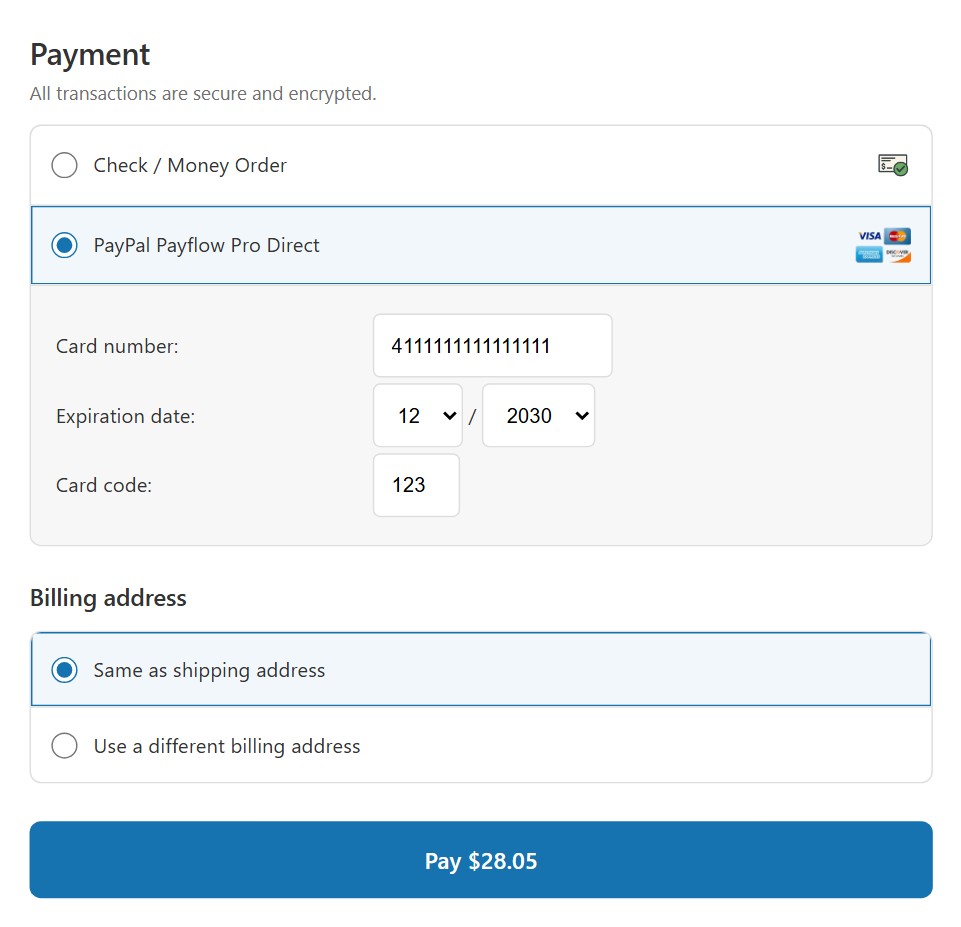
4The customer enters the card number, the expiration date and the card code, and pays without leaving your site. The card code must match on every payment, and a payment the plugin rejects after the gateway approved it is voided automatically.
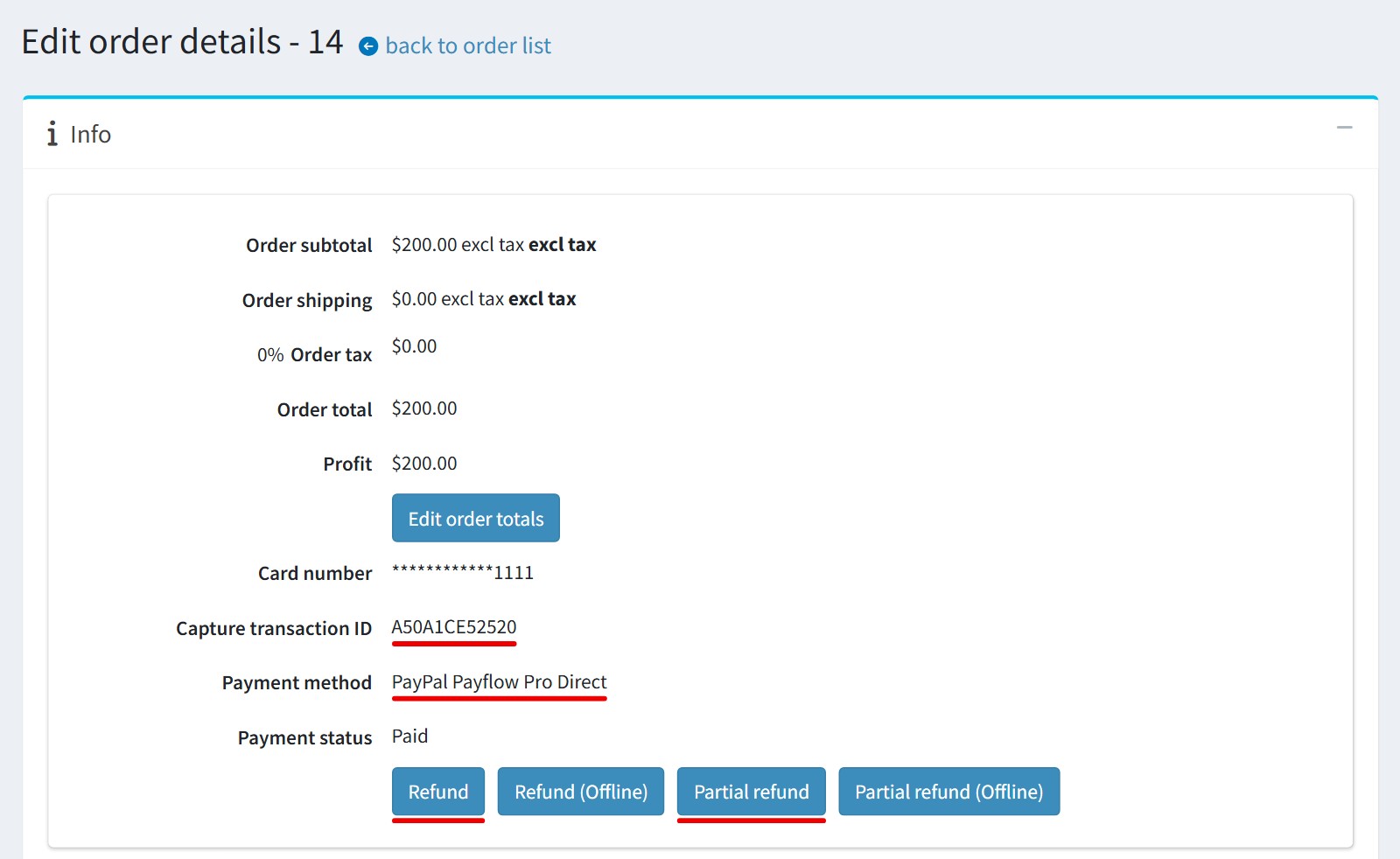
5The order page in the admin area shows the transaction ID and the payment method. ‘Refund’ and ‘Partial refund’ send the refund to PayPal, and in the ‘Authorize’ mode you capture or void the payment from the same page.
Features
- Card number, expiration date and card code fields on your own checkout page
- Authorize only, or authorize and capture in one step
- Delayed capture from the admin order page
- Full refund, partial refund and void from the admin order page
- Automatic void of an approved payment that the plugin rejected
- Card code check on every payment and optional ZIP code validation
- Charges in the primary store currency or in the customer’s currency
- Additional payment fee as a fixed amount or a percentage
- Different Payflow accounts and settings per store
- Sandbox mode for testing without live transactions
- Gateway request and response saved as a private order note
- Downloadable debug log with the card data masked
Specification
 Supported nopCommerce 5.00, 4.90, 4.80, 4.70, 4.60, 4.50, 4.40, 4.30, 4.20, 4.10
 Fully localizable using extermal XML files
 Multi-store support
 Free Trial (30 days trial period)
 1 year free support and upgrades since purchase date
 Performance optimization
 Easy setup and customization
 Fast support
About US

We did more than 190 plugins for nopcommerce. Check out portfolio.
We had an issue with the plugin when processing payments when the name, address, or city address contained a French accent. Within hours of mentioning our issue to support, they provided an updated plugin fixing the issue. Thank you very much.
Quick feedback is so important, and Foxnetsoft is great at that....and their plugins are very good too!
I'm leaving this review on each of the plugins we've used because the plugins have been solid and the customer service has been extremely helpful along the way. We greatly appreciate it!