See latest version history | Free trial & Source code also available
Take full control of order cancellations - define rules & reasons
Give your customers a smooth way to cancel orders while keeping full administrative control. Collect cancellation reasons, trigger custom notifications, and display details directly in the order view.

-

Instant Email
Notifications -

Easy Cancellation
Process -

Simple Plugin
Configuration -

Flexible Cancellation
Rules
Empower Customers with Seamless Order Cancellation
1 Simplify the Customer Journey with a Single Click
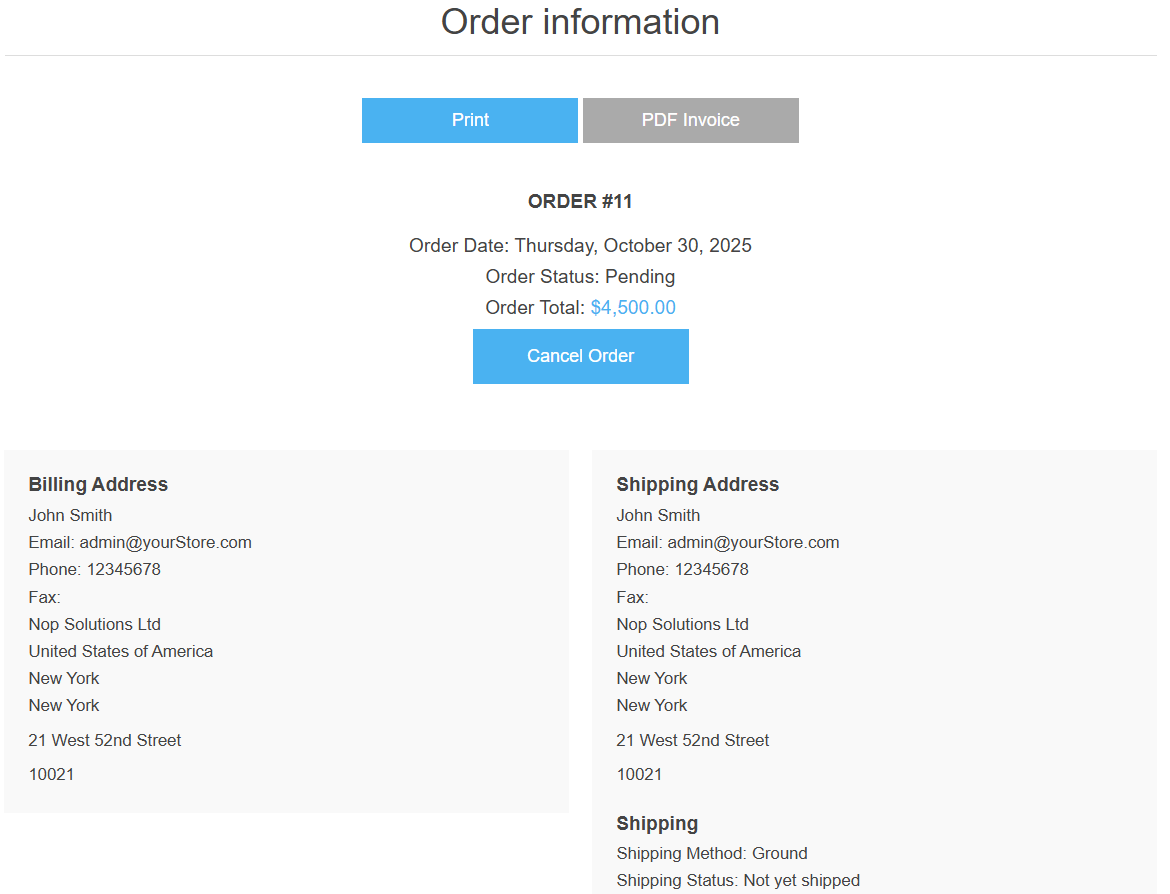
➡️ Give your customers the convenience they deserve. The Cancel Order button appears directly on the customer’s Order Information page, allowing them to cancel eligible orders effortlessly without needing to contact support. This self-service feature saves time, reduces manual requests, and enhances post-purchase satisfaction, leading to higher customer retention.
2 Collect Valuable Insights with Smart Cancellation Reasons
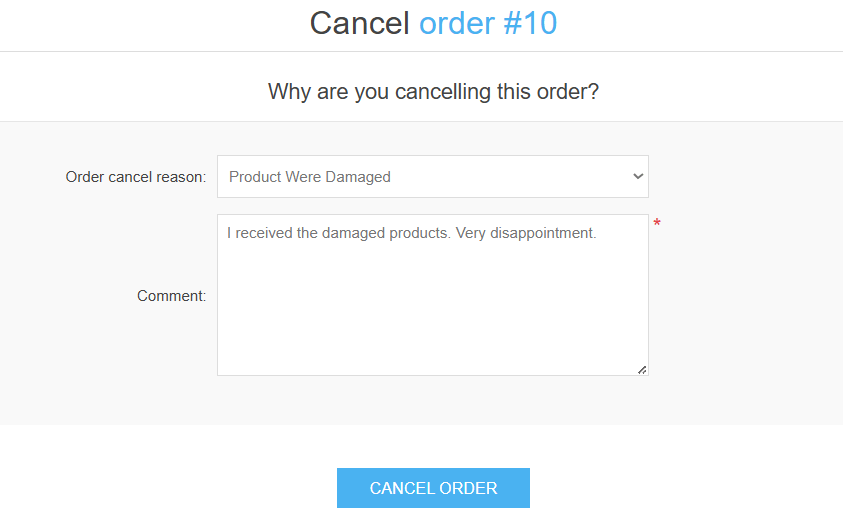
➡️ When a customer initiates a cancellation, they can select from a predefined list of cancellation reasons and leave an optional comment. This not only provides transparency but also helps store owners identify recurring issues such as damaged goods, delivery delays, or pricing concerns. Over time, these insights enable data-driven improvements in logistics, product quality, and customer service, helping your store grow smarter with every cancellation.
3 Get Clear Visibility with Detailed Cancellation Information
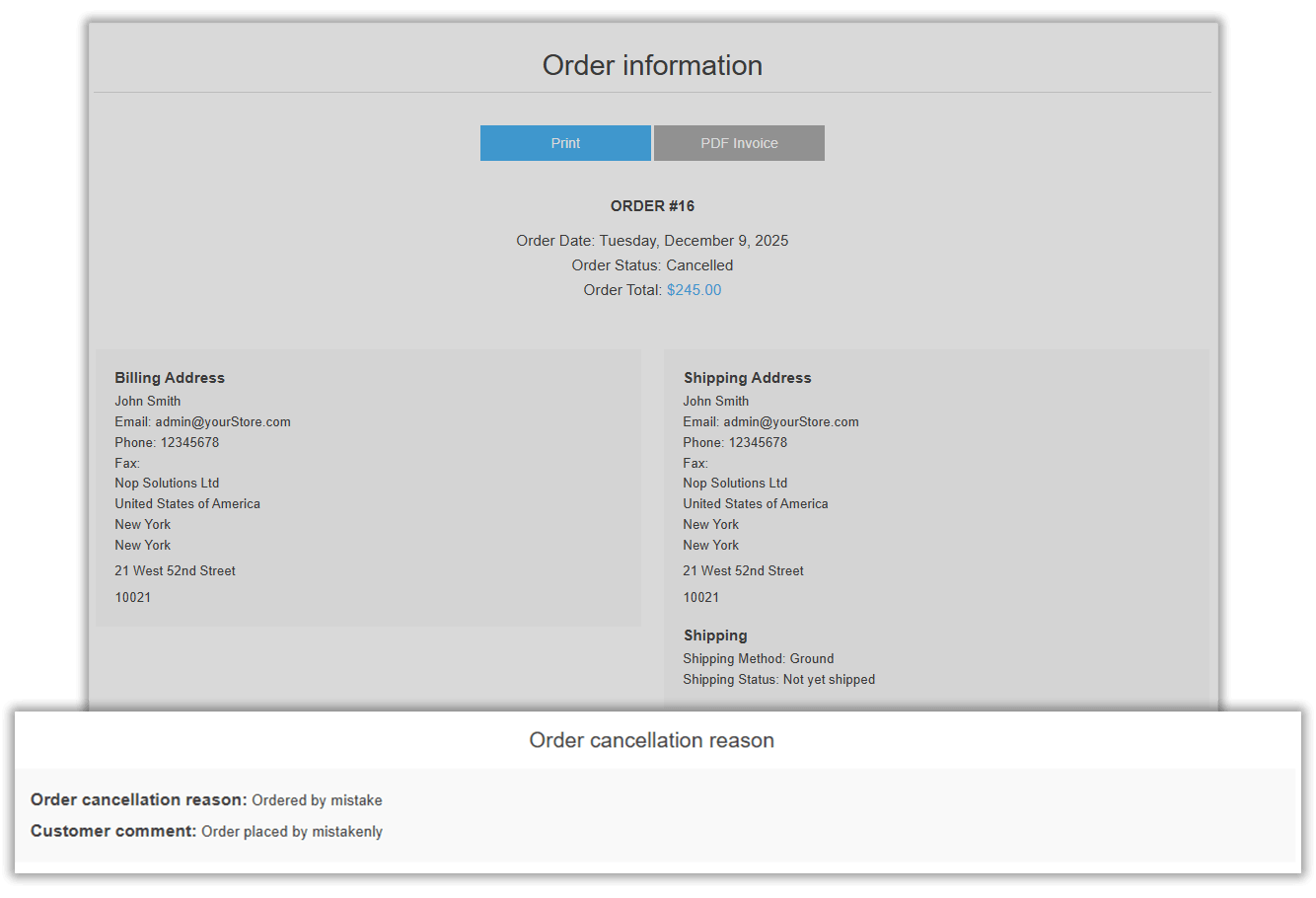
➡️ After a customer confirms the cancellation, the plugin automatically updates the order status to Cancelled and records both the selected cancellation reason and the customer’s comments directly in the Order Information page. This gives store owners complete transparency and helps identify recurring issues such as mistaken orders, damaged products, or delivery concerns. At the same time, automated email notifications are instantly sent to the store owner, customer, and vendor, ensuring everyone stays informed and aligned throughout the cancellation process.
4 Set Flexible Time Limits for Order Cancellations
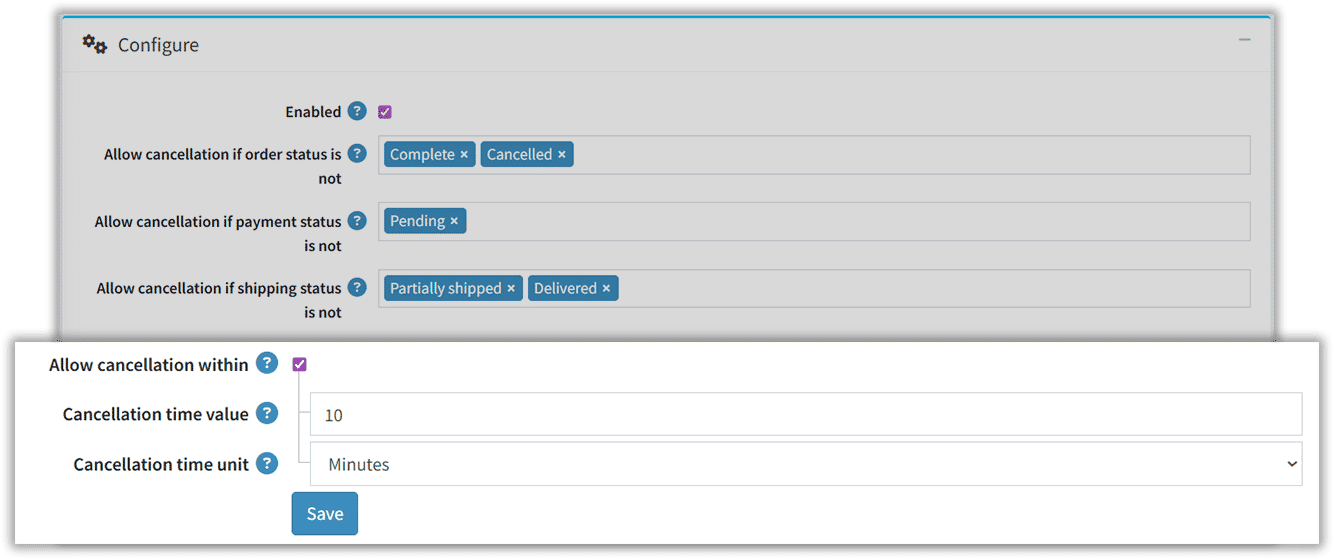
➡️ With the Allow cancellation feature, store owners can define a precise time window (in minutes, hours, or days) during which customers can cancel their orders after placing them. This ensures a balanced workflow, customers can make changes when needed, while you maintain control once the order enters critical fulfillment stages.
5 Automate Communication and Maintain Trust
➡️ Once an order is cancelled, the plugin automatically updates the order status and triggers instant email notifications for the admin, customer, and vendor. This ensures all stakeholders stay informed in real-time, reducing confusion and improving communication flow. Customers feel acknowledged, and store owners save time with fewer support follow-ups.
Why Your Store Needs nopCommerce Cancel Order Option Extension
Traditional eCommerce stores often lack a smooth and transparent process for order cancellation requests, leading to increased support requests and customer dissatisfaction. The Cancel Order Option Plugin bridges this gap by offering a flexible and customer-friendly cancellation system.
- Empowered Customers who can cancel orders directly from their account dashboard without contacting support.
- Transparent Communication through reason and comment options that help store owners understand cancellation trends.
- Instant Notifications keeping both customers and admins informed with real-time email updates for every cancelled order.
In essence, this plugin gives your store a professional edge by simplifying cancellations, reducing manual workload, and improving post-purchase satisfaction, all while maintaining complete administrative control.
🛒 Simplify Order Management with the Cancel Order Option Plugin
Upsell your eCommerce store’s with the Cancel Order Option Plugin for nopCommerce. Empower customers to cancel their orders directly from their account page in a click. The plugin allows customers to select a reason, leave a comment, and instantly notify admins through automated emails. Reduce customer frustration, and maintain complete control over cancellations.
Specifications
Free Updates for 1 Year
Highly optimized for performance
Easy setup & configuration
FAQs
Yes. The plugin provides flexible configuration settings that allow store owners to control cancellation eligibility. You can define which orders can be cancelled based on Order Status, Payment Status, or Shipping Status. For example, you might allow cancellation only before payment is captured or before the product is shipped.
Once a customer cancels an order, automatic email notifications are sent to the store owner, vendor (if applicable), and the customer, keeping everyone informed and reducing follow-up questions. Message templates are customizable for consistent branding.
The nopCommerce Cancel Order Option Plugin empowers customers to cancel their orders easily and transparently. Instead of contacting store support or waiting for manual approval, users can initiate cancellations directly from their My Account → Orders page. This saves time, and reduces post-purchase frustration, all while helping store owners automate their order management process.
When a customer cancels an order:
- The order status updates automatically in the system.
- Customers are asked to select a reason for cancellation and can optionally add comments for more context.
- Automatic email notifications are sent to the customer, vendor and the store admin.
This ensures instant communication, improved transparency, and smooth record-keeping for your store operations.
The plugin allows the configuration panel you specify which order statuses cannot be cancelled (for example, shipped or completed orders). This ensures your business logic is respected while still offering customer flexibility.
Empower your e-commerce venture with our nopCommerce mastery.
We wonder what you make us build in nopCommerce
We can customize and extend nopCommerce matching exactly the way you want your eCommerce store to be..
Contact us



The Hallmark of Excellence in nopCommerce